Skip to content

Supergrow n8n community node

Published with provenancePublished with provenancenpm holds a signed attestation linking this release to the exact source commit and CI run that built it, so you can check what you install was built from the code it claims.What provenance means

@nativeship/n8n-nodes-supergrow

Connect Supergrow to n8n to create, schedule, and publish LinkedIn posts, track engagement, and manage content.

Install in n8n

Open Settings → Community Nodes → Install and paste this name.

@nativeship/n8n-nodes-supergrow

n8n Cloud installs only community nodes verified by n8n, so this one needs self-hosted n8n.

What you can do with Supergrow in n8n

42 operations across 13 resources

Analytics

3 operations

  • Get Follower Analytics — Returns live LinkedIn follower counts and trends.
  • Get Engagement Metrics — Returns live trends for the requested LinkedIn engagement metric.
  • List Weekly Reports — Returns weekly performance reports.

Calendar

2 operations

  • Get Monthly Calendar — Returns monthly publishing slots and scheduled posts for the selected month.
  • Get Weekly Calendar — Returns weekly publishing slots and scheduled posts for the selected week.

Company Pages

1 operation

  • List Company Pages — Lists LinkedIn company pages connected to the workspace.

Content DNA

2 operations

  • Get Content DNA — Returns the workspace's professional profile, writing style, content patterns, and target audience.
  • Regenerate Content DNA — Starts async regeneration from LinkedIn profile data

Content Extraction

4 operations

  • Extract Text from URL — Detects whether a URL points to a webpage, YouTube video, PDF, or audio source and extracts its text.
  • Transcribe Audio or Video — Transcribes a supported audio or video file to text.
  • Extract PDF Text — Extracts text from a PDF file. Limited to 10 extractions per day per workspace.
  • Extract YouTube Transcript — Extracts a transcript from a YouTube video. Limited to 10 extractions per day per workspace.

Kanban

2 operations

  • Get Kanban Board — Returns posts grouped by workflow status, with pagination.
  • Get Kanban Column — Returns a paginated list of posts for the selected status.

Knowledge Base

5 operations

  • Delete Knowledge Base Item — Permanently deletes a knowledge base item and its associated chunks.
  • List Knowledge Base Items — Lists workspace knowledge base items, with optional source-type and status filters and pagination.
  • Get Knowledge Base Item — Returns a knowledge base item by ID.
  • Add Text to Knowledge Base — Adds plain text to the workspace knowledge base for asynchronous indexing.
  • Search Knowledge Base — Searches the workspace knowledge base by meaning and returns matching text chunks and extracted insights ranked by relevance.

LinkedIn Accounts

1 operation

  • List LinkedIn Accounts — Lists LinkedIn accounts connected to the workspace without exposing sensitive tokens.

Media

4 operations

  • List Media Items — Lists confirmed workspace media, with optional media-type filtering and pagination.
  • Get Media Item — Returns a confirmed media item with a presigned download URL that expires after 24 hours.
  • Create Media Item — Creates a pending media item and a presigned upload URL.
  • Confirm Media Upload — Verifies the uploaded file and marks the media item as confirmed. Image bytes must be JPEG, PNG, or GIF;

Post Score

1 operation

  • Score LinkedIn Post — Evaluates LinkedIn post performance and authenticity.

Posts

14 operations

  • Delete Post — Deletes a draft or failed post.
  • Delete Auto-Plug Comment — Deletes an auto-plug comment. Comments on published posts cannot be deleted.
  • Remove Public Preview Link — Removes the post's public preview link.
  • List Posts — Lists workspace posts, with optional filters for status and tag IDs.
  • Get Post — Returns a post by ID, including its current content and status.
  • List Auto-Plug Comments — Lists the auto-plug comments configured for a post.
  • Create Post — Creates a draft LinkedIn post.
  • Add Auto-Plug Comments — Adds comments that publish automatically after the post goes live, with a configurable delay.
  • Create Public Preview Link — Creates a shareable preview link, or returns the existing link if one is already set.
  • Publish Post — Starts publishing the post immediately. Publishing runs asynchronously.
  • Schedule Post — Schedules a post using the workspace's local time zone.
  • Unschedule Post — Removes a post from the schedule and returns it to draft status.
  • Queue Post — Creates a post and schedules it for the next available time slot.
  • Update Post — Updates an existing draft post.

Questions

2 operations

  • Generate Questions from Text — Analyzes text and creates contextual interview questions to help develop LinkedIn posts.
  • Generate Questions from Topic — Generates 8-12 interview questions for a topic, using the workspace's Content DNA when available. Each question includes follow-up prompts.

Workspaces

1 operation

  • List Workspaces — Lists workspaces available to the authenticated user and the user's role in each.

About Supergrow

The Supergrow n8n node connects LinkedIn content management with your workflows. Create and schedule posts, check performance, and work with content tools, media, and workspaces.
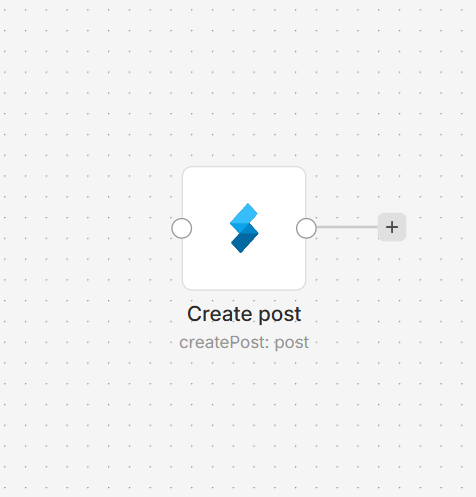
Supergrow node selected on an n8n workflow canvas

Connect Supergrow to n8n

  1. Install the @nativeship/n8n-nodes-supergrow community node in your n8n instance.
  2. Create a Supergrow API key under Settings > MCP.
  3. In n8n, choose Supergrow (API Key Auth) API credentials and enter the key in X-Api-Key.
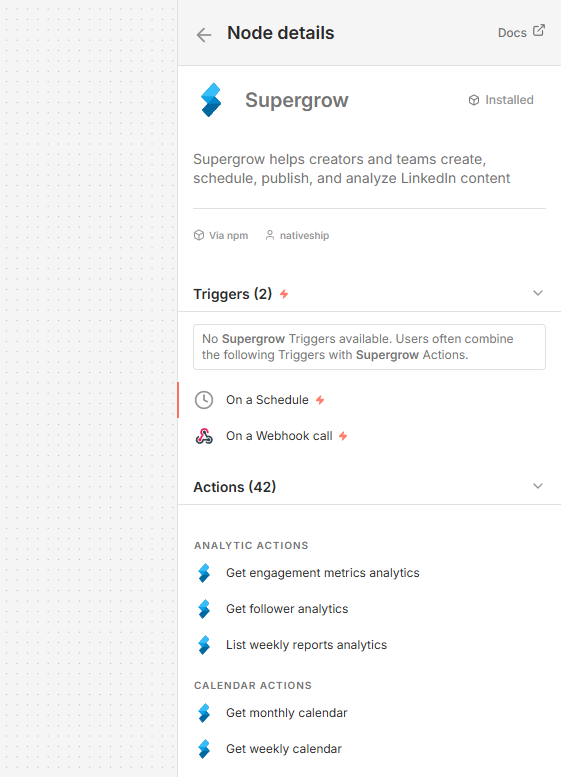
Supergrow node details in n8n showing LinkedIn post, scheduling, analytics, and content actions

What you can do

Create, edit, queue, schedule, publish, or remove LinkedIn posts. You can also manage post media and comments, and view weekly and monthly calendars.

Retrieve follower and engagement analytics, and view LinkedIn accounts, company pages, and workspaces.

Use Supergrow content tools to score posts, work with Content DNA and a knowledge base, generate questions, or extract text from URLs, PDFs, YouTube videos, and audio or video files.

Built with NativeShip

NativeShip created and maintains this Supergrow node. NativeShip helps SaaS companies launch and maintain verification-ready n8n community nodes in minutes.

Want to launch an n8n node for your SaaS? Explore NativeShip.

Supergrow questions

It can manage LinkedIn posts and content, retrieve analytics, work with media and comments, and access workspace tools.

Yes. The node can queue, schedule, publish, edit, and remove posts.

The node includes follower analytics, engagement metrics, and weekly reports.

Yes. It can extract text from URLs, PDFs, and YouTube videos, and transcribe audio or video.

It supports an API key credential using the X-Api-Key field and a bearer token credential using Access Token.

All Social Media nodes
  • Post Bridge

    Published with provenancePublished with provenancenpm holds a signed attestation linking this release to the exact source commit and CI run that built it, so you can check what you install was built from the code it claims.What provenance means

    @nativeship/n8n-nodes-postbridge

    Use the Post Bridge n8n node to create and schedule social posts, check publishing results, and view analytics from your workflows." category: "Social Media

    10 downloads last week
  • SuperX

    Published with provenancePublished with provenancenpm holds a signed attestation linking this release to the exact source commit and CI run that built it, so you can check what you install was built from the code it claims.What provenance means

    @nativeship/n8n-nodes-superx

    Connect SuperX to n8n to draft, schedule, and publish X posts, review analytics, and work with audience and engagement data.

    10 downloads last week
  • Threads

    Published with provenancePublished with provenancenpm holds a signed attestation linking this release to the exact source commit and CI run that built it, so you can check what you install was built from the code it claims.What provenance means

    @nativeship/n8n-nodes-threads

    Use the Threads n8n node to publish text, image, video, and carousel posts, manage replies, and retrieve post or profile insights.

    6 downloads last week

Ready to launch your n8n, Make, Zapier or Activepieces integration?

Give your customers another way to use your product.

Get started