Skip to content

HRider n8n community node

Published with provenancePublished with provenancenpm holds a signed attestation linking this release to the exact source commit and CI run that built it, so you can check what you install was built from the code it claims.What provenance means

@nativeship/n8n-nodes-hrider

Connect HRider to n8n to manage employee and appraisal data, resend invitations, and retrieve performance review, 360 feedback, and workplace reports.

Install in n8n

Open Settings → Community Nodes → Install and paste this name.

@nativeship/n8n-nodes-hrider

n8n Cloud installs only community nodes verified by n8n, so this one needs self-hosted n8n.

What you can do with HRider in n8n

87 operations across 6 resources

Administrators

9 operations

  • Change Administrator Password — Change the password for an administrator.
  • Create Administrator — Create an administrator. HRider assigns a random initial password; change it with the Change Password operation.
  • Delete Administrator — Delete an administrator.
  • Get Administrator — Retrieve an administrator by ID.
  • List Administrators — List account administrators. Use `companyId` to return only administrators assigned to that company.
  • List Assigned Companies — List the companies assigned to an administrator.
  • Assign Companies to Administrator — Assign one or more companies to an administrator using a `text/uri-list`.
  • Remove Company Assignments — Remove one or more company assignments from an administrator using a `text/uri-list`.
  • Update Administrator — Update an administrator's details.

Appraisals

29 operations

  • Get Appraisal — Retrieve an appraisal by company and appraisal ID.
  • List Appraisals — List appraisals for a company. Filter by page, name or code text, and start-date range.
  • Download Feedback Action Plan Report — Download the Action Plan report as CSV (default) or Excel. Set `Accept` to `text/csv` or `application/vnd.ms-excel`.
  • Download Feedback Comments Report — Download the Feedback Comments and Open Questions report as CSV (default) or Excel. Set `Accept` to `text/csv` or `application/vnd.ms-excel`.
  • Download Evaluator Responses — Download each evaluator's responses for each evaluated employee and indicator in CSV format.
  • Download Feedback Detail Report — Download the Feedback Detail report as CSV (default) or Excel. Set `Accept` to `text/csv` or `application/vnd.ms-excel`.
  • Download Feedback Detail by Group — Download the Feedback Detail by Group report as CSV (default) or Excel. Set `Accept` to `text/csv` or `application/vnd.ms-excel`.
  • Download Employee Feedback Report — Retrieve an employee's feedback report for an appraisal. Set `alt` or `Accept` to `application/pdf` for a PDF; otherwise, the response is a File resource.
  • List Feedback Reports — List feedback reports for an appraisal.
  • Download Feedback Results by Age — Download feedback results by age as CSV (default) or Excel. Set `Accept` to `text/csv` or `application/vnd.ms-excel`.
  • Download Feedback Results by Tenure — Download feedback results by length of service as CSV (default) or Excel. Set `Accept` to `text/csv` or `application/vnd.ms-excel`.
  • Download Feedback Results by Gender — Download feedback results by gender as CSV (default) or Excel. Set `Accept` to `text/csv` or `application/vnd.ms-excel`.
  • Download Feedback Results by Job Position — Download feedback results by job position as CSV (default) or Excel. Set `Accept` to `text/csv` or `application/vnd.ms-excel`.
  • Download Feedback Results Report — Download feedback results as CSV (default) or Excel. Set `Accept` to `text/csv` or `application/vnd.ms-excel`.
  • Get Invitation — Retrieve an employee's invitation to an appraisal.
  • List Invitations — List invitations for an appraisal.
  • Download NBox Results Report — Download the NBox results report as CSV (default) or Excel. Set `Accept` to `text/csv` or `application/vnd.ms-excel`.
  • List Reports — List reports available for an appraisal. Available report types depend on the appraisal type and status.
  • Download Survey List Report — Download the Surveys report as CSV (default) or Excel. Set `Accept` to `text/csv` or `application/vnd.ms-excel`.
  • Download Working Environment Results by Age,Gender — Download Working Environment results by age and gender as CSV (default) or Excel. Set `Accept` to `text/csv` or `application/vnd.ms-excel`.
  • Download Full Working Environment Report — Download the full Working Environment report as an Excel workbook with separate sheets for department, position, age and gender, length of service, indicator groups, and indicators.
  • Download Working Environment Results by Tenure — Download Working Environment results by length of service as CSV (default) or Excel. Set `Accept` to `text/csv` or `application/vnd.ms-excel`.
  • Download Working Environment Results by Department — Download Working Environment results by department as CSV (default) or Excel. Set `Accept` to `text/csv` or `application/vnd.ms-excel`.
  • Download Working Environment Results by Indicator — Download Working Environment results by indicator group as CSV (default) or Excel. Set `Accept` to `text/csv` or `application/vnd.ms-excel`.
  • Download Working Environment Results by Indicator — Download Working Environment results by indicator as CSV (default) or Excel. Set `Accept` to `text/csv` or `application/vnd.ms-excel`.
  • Download Working Environment Results Job Position — Download Working Environment results by job position as CSV (default) or Excel. Set `Accept` to `text/csv` or `application/vnd.ms-excel`.
  • Download Working Environment Feedback Report — Download the PDF report of Working Environment comments and open questions.
  • Download Working Environment Report — Download the PDF Working Environment report.
  • Resend Appraisal Invitation — Resend an appraisal invitation to an employee.

Companies

11 operations

  • Create Company — Create a company.
  • Delete Company — Delete a company.
  • Delete Company Logo — Delete a company's logo.
  • List Company Administrators — List administrators assigned to a company.
  • List Companies — List companies. Use `administratorId` to filter for companies assigned to an administrator.
  • Get Company — Retrieve a company by ID.
  • Get Company Logo — Retrieve a company's logo. Set `alt` to `media` or request an `image/*` response to return image content; otherwise, the response is a File resource.
  • Assign Administrators to Company — Assign one or more administrators to a company using a `text/uri-list`.
  • Upload Company Logo — Upload a company logo as multipart form data. Include the image in the `data` part; the media type is read from `Content-Type` or the filename extension.
  • Remove Company Administrators — Remove one or more administrator assignments from a company using a `text/uri-list`.
  • Update Company — Update a company's details.

Departments

16 operations

  • Create Department — Create a department.
  • Create Job Position — Create a job position in a department.
  • Delete Department — Delete a department by ID.
  • Unassign Employees from Position — Unassign one or more employees from a job position using a `text/uri-list`.
  • Delete Job Position — Delete a job position.
  • List Child Departments — List child departments.
  • Get Department — Retrieve a department by ID.
  • List Departments — List departments in a company. Set `parentId` to return its children; use `-1` for top-level departments.
  • List Position Employees — List employees assigned to a job position.
  • Get Parent Department — Retrieve the parent department.
  • Get Job Position — Retrieve a job position by ID.
  • List Job Positions — List job positions in a department.
  • Move Position to Department — Move a job position into the specified department using its ID or resource URI.
  • Assign Employees to Position — Assign one or more employees to a job position using a `text/uri-list`.
  • Set Parent Department — Assign a parent department using its ID or resource URI in a `text/uri-list`.
  • Update Department — Update a department's details.

Employees

21 operations

  • Create Employee — Create an employee. Provide the required `code`, `email`, `firstName`, and `lastName` fields.
  • Remove Employee Clients — Remove client assignments from an employee using a `text/uri-list`.
  • Archive or Delete Employee — Archive an employee by default. Set `archive` to `false` to delete the employee; archived records keep their history and no longer use a company license.
  • Delete Employee Photo — Delete an employee's photo.
  • Unassign Employee Position — Unassign the job position from an employee.
  • Remove Subordinates — Remove subordinate assignments from an employee using a `text/uri-list`.
  • Unassign Employee Supervisor — Unassign the employee's current supervisor.
  • List Employee Clients — List clients assigned to an employee.
  • Get Employee — Retrieve an employee by ID.
  • Get Employee Photo — Retrieve an employee photo. Set `alt` to `media` or request an `image/*` response to return image content; otherwise, the response is a File resource.
  • List Employees — List employees in a company. Results are paginated; filter by supervisor, provider, position, or employee code.
  • List Employee Feedback Reports — List feedback reports from an employee's history.
  • Get Employee Position — Retrieve the job position assigned to an employee.
  • List Subordinates — List an employee's subordinates.
  • Get Employee Supervisor — Retrieve an employee's supervisor.
  • Assign Clients to Employee — Assign clients to an employee using a `text/uri-list`.
  • Upload Employee Photo — Upload an employee photo as multipart form data. Include the image in the `data` part; the media type is read from `Content-Type` or the filename extension.
  • Assign Employee Position — Assign a job position to an employee using its ID or resource URI in a `text/uri-list`.
  • Assign Subordinates — Assign subordinates to an employee using a `text/uri-list`.
  • Assign Employee Supervisor — Assign a supervisor to an employee using its ID or resource URI in a `text/uri-list`.
  • Update Employee — Update an employee's details.

Files

1 operation

  • Get File — Retrieve file metadata. Set `alt` to `media` or request an `image/*` response to return file content.

About HRider

The HRider n8n node connects HRider's talent management platform with your workflows. Use it to manage HR records, access appraisal information, and retrieve feedback and evaluation reports.
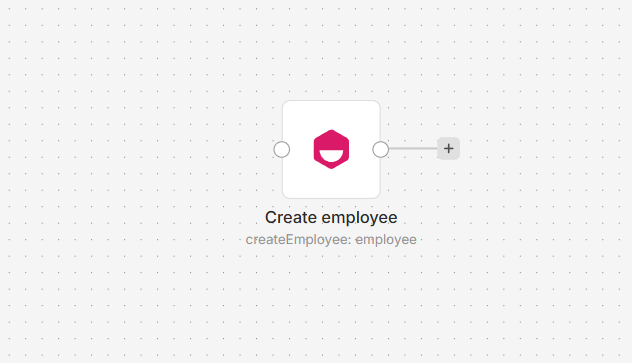
HRider node on an n8n workflow canvas

Connect HRider to n8n

  1. Install @nativeship/n8n-nodes-hrider from Settings > Community Nodes in n8n.
  2. A Premium account owner can create an API key in HRider under My Account > Connections > API Keys. Set the company and resource permissions the node needs.
  3. In n8n, create an HRider API credential and enter Bearer <your API key> in Authorization.
  4. Add the HRider node and choose a resource and action.
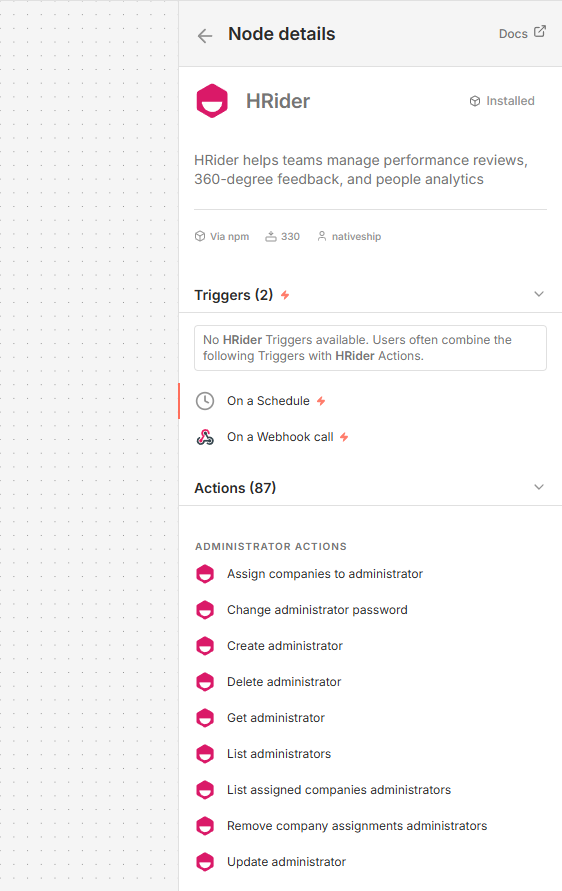
HRider node details in n8n showing administrator, appraisal, company, department, employee, and file actions

What you can do

Manage administrators, companies, departments, and employee records, including assignments and reporting relationships. Work with appraisal and invitation records, and retrieve feedback, performance, workplace-environment, survey, and NBox reports.

Built with NativeShip

NativeShip created and manages this HRider node. NativeShip helps SaaS companies launch and maintain verification-ready n8n community nodes. n8n reviews nodes submitted for verification and makes the approval decision.

Want to launch an n8n node for your SaaS? Explore NativeShip.

HRider questions

You can manage administrators, companies, departments, and employees, work with appraisal invitations, and retrieve feedback and evaluation reports.

Yes. The node supports employee and department actions, including assigning positions, supervisors, and subordinates.

Yes. You can access appraisal feedback reports, evaluator responses, performance results, and workplace-environment reports.

Yes. The node can list and retrieve invitations, and resend an existing appraisal invitation.

It uses an HRider API credential. A Premium account owner creates the API key and sets its permissions; enter it in the Authorization field with the Bearer prefix.

All HR & Recruiting nodes
  • FactorialHR

    Published with provenancePublished with provenancenpm holds a signed attestation linking this release to the exact source commit and CI run that built it, so you can check what you install was built from the code it claims.What provenance means

    @nativeship/n8n-nodes-factorialhr

    Use the Factorial n8n node to manage employee records, attendance, leave requests, recruiting applications, job postings, and tasks.

    11 downloads last week
  • HappilyAI

    Published with provenancePublished with provenancenpm holds a signed attestation linking this release to the exact source commit and CI run that built it, so you can check what you install was built from the code it claims.What provenance means

    @nativeship/n8n-nodes-happilyai

    Connect Happily.ai to n8n to sync members, read engagement and survey data, send recognition, and manage supported performance actions.

    8 downloads last week
  • Personio

    Published with provenancePublished with provenancenpm holds a signed attestation linking this release to the exact source commit and CI run that built it, so you can check what you install was built from the code it claims.What provenance means

    @nativeship/n8n-nodes-personio

    Use the Personio n8n node to manage people, employment, absences, attendance, and recruiting records in your workflows.

    11 downloads last week

Ready to launch your n8n, Make, Zapier or Activepieces integration?

Give your customers another way to use your product.

Get started