Skip to content

HappilyAI n8n community node

Published with provenancePublished with provenancenpm holds a signed attestation linking this release to the exact source commit and CI run that built it, so you can check what you install was built from the code it claims.What provenance means

@nativeship/n8n-nodes-happilyai

Connect Happily.ai to n8n to sync members, read engagement and survey data, send recognition, and manage supported performance actions.

Install in n8n

Open Settings → Community Nodes → Install and paste this name.

@nativeship/n8n-nodes-happilyai

n8n Cloud installs only community nodes verified by n8n, so this one needs self-hosted n8n.

What you can do with HappilyAI in n8n

12 operations across 5 resources

Members

3 operations

  • List members — List company members. Provide at least one of `email`, `team_id`, `talent_type`, or `company_id`. An email filter returns one member; otherwise results are paginated.
  • Get a member's engagement profile — Retrieve a member profile with impact rating and engagement health. Personal context is included by default; use `include_personal_context` and `context_limit` to control it.
  • Import or sync members — Import up to 1,000 members; each needs an email. Invalid emails or unsupported fields fail validation. Set `skip_duplicates` or `update_if_exists` as needed. Jobs may run asynchronously; check status with `import_id`. Limit: 10 requests/min. ⚠ HTTP method inferred; path only confirmed.

Performance

3 operations

  • Submit performance boosts — Submit up to 200 boosts; each returns a result. The reviewer must directly manage the employee; both must be company members; goal and culture sections need `supporting_examples`. One review per member per cycle. ⚠ The gateway exposes `/1` and `/api/v1`; the canonical path is unconfirmed.
  • List performance feedback — List feedback for an employee (`email`), a reviewer (`reviewer_email`), or both. At least one is required; optional date filters limit the period.
  • Save a performance review preset — Create a reusable review preset for up to 50 teams or 50 members. Supply either `teams` or `members`; overlapping assignments are removed from existing presets.

Recognition

3 operations

  • Send recognition — Send recognition coins to email recipients, `ALL_MEMBERS`, a team, or a cohort. Emails may be passed singly, comma-separated, or as an array. The sender must belong to the company; unknown individual emails return 503, while unknown teams or cohorts are skipped.
  • Get a medal — Return the configured value for a medal ID; if none is configured, `value` echoes `medal_id`. ⚠ Verified only in a request fixture.
  • List received recognition — Retrieve recognition received by exactly one member (`email`) or team (`team_name`). Results are paginated, newest first.

Surveys

2 operations

  • List survey questions — List custom and shared main survey questions. Filter by `type`, `skill`, or `dimension`.
  • List survey responses — List survey responses by respondent email, question ID, or both. At least one is required; use `date_from` and `date_to` to limit the period.

Town Hall

1 operation

  • Generate Town Hall content — Generate Town Hall feed content asynchronously. No request body is required; the API key identifies the company. The company must be active and have Town Hall enabled. ⚠ Path is unconfirmed and may be internal-only.

About HappilyAI

The Happily.ai n8n node connects Happily's employee engagement platform with your workflows. Use it to work with member profiles, recognition, surveys, performance feedback, and Town Hall content.
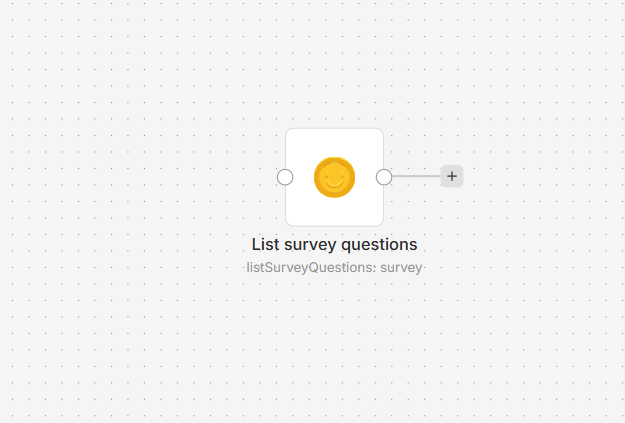
HappilyAI node on an n8n workflow canvas

Connect Happily.ai to n8n

  1. Install @nativeship/n8n-nodes-happilyai from Settings > Community Nodes in n8n.
  2. In Happily, open the Integrations page and generate an API key. If the page is not available, ask your Happily Customer Success contact to enable developer access.
  3. In n8n, create a HappilyAI API credential and enter the key in x-api-key.
  4. Add the HappilyAI node, choose an action, and select a destination that matches the key's stage.
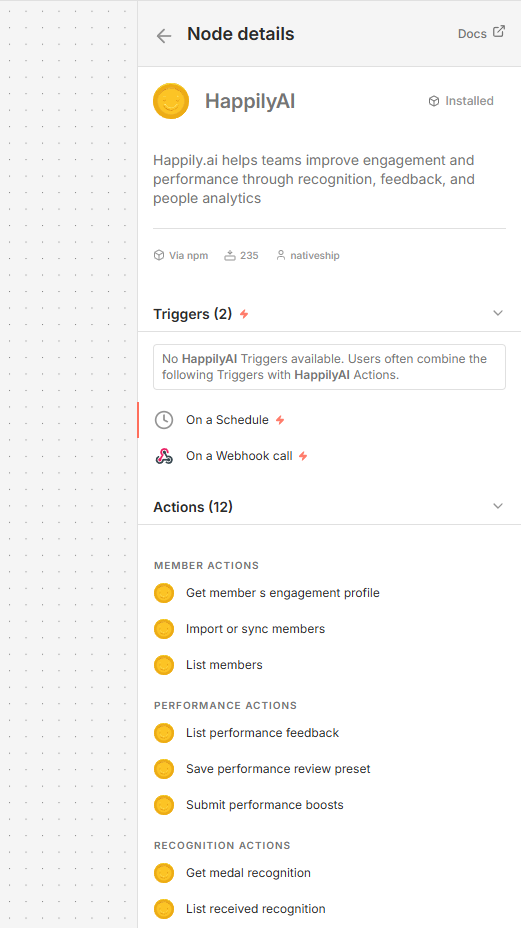
HappilyAI node details in n8n showing member, performance, recognition, survey, and Town Hall actions

What you can do

Sync or list members and retrieve their engagement profiles. The node also supports sending and retrieving recognition, reading survey questions and responses, submitting performance boosts, listing performance feedback, saving review presets, and generating Town Hall content.

Built with NativeShip

NativeShip created and manages this Happily.ai node. NativeShip helps SaaS companies launch and maintain verification-ready n8n community nodes. n8n reviews nodes submitted for verification and makes the approval decision.

Want to launch an n8n node for your SaaS? Explore NativeShip.

HappilyAI questions

You can sync members, retrieve engagement profiles, work with recognition and survey data, manage supported performance actions, and generate Town Hall content.

Yes. The node can list members, import or sync members, and retrieve a member's engagement profile.

Yes. It can send recognition, list received recognition, and retrieve a medal.

Yes. The node can list survey questions and responses, list performance feedback, submit performance boosts, and save a performance review preset.

Create a HappilyAI API credential in n8n and provide the x-api-key value from Happily. Developer access may need to be enabled by your Happily Customer Success contact.

All HR & Recruiting nodes
  • FactorialHR

    Published with provenancePublished with provenancenpm holds a signed attestation linking this release to the exact source commit and CI run that built it, so you can check what you install was built from the code it claims.What provenance means

    @nativeship/n8n-nodes-factorialhr

    Use the Factorial n8n node to manage employee records, attendance, leave requests, recruiting applications, job postings, and tasks.

    11 downloads last week
  • HRider

    Published with provenancePublished with provenancenpm holds a signed attestation linking this release to the exact source commit and CI run that built it, so you can check what you install was built from the code it claims.What provenance means

    @nativeship/n8n-nodes-hrider

    Connect HRider to n8n to manage employee and appraisal data, resend invitations, and retrieve performance review, 360 feedback, and workplace reports.

    9 downloads last week
  • Personio

    Published with provenancePublished with provenancenpm holds a signed attestation linking this release to the exact source commit and CI run that built it, so you can check what you install was built from the code it claims.What provenance means

    @nativeship/n8n-nodes-personio

    Use the Personio n8n node to manage people, employment, absences, attendance, and recruiting records in your workflows.

    11 downloads last week

Ready to launch your n8n, Make, Zapier or Activepieces integration?

Give your customers another way to use your product.

Get started