Skip to content

ManyReach n8n community node

Published with provenancePublished with provenancenpm holds a signed attestation linking this release to the exact source commit and CI run that built it, so you can check what you install was built from the code it claims.What provenance means

@nativeship/n8n-nodes-manyreach

Use the ManyReach n8n node to manage email campaigns and prospects, review replies, and work with lists, senders, and campaign stats.

Install in n8n

Open Settings → Community Nodes → Install and paste this name.

@nativeship/n8n-nodes-manyreach

n8n Cloud installs only community nodes verified by n8n, so this one needs self-hosted n8n.

What you can do with ManyReach in n8n

100 operations across 14 resources

Account

3 operations

  • Get account — Returns account details and API context for the authenticated account.
  • Get sending credit — Returns the account sending-credit balance and status.
  • Get data token — Returns data-token status for the account.

Blacklist

8 operations

  • Add domains to blacklist — Adds one or more domains to the account blacklist.
  • Add emails to blacklist — Adds one or more email addresses to the account blacklist.
  • Check whether a domain is blacklisted — Checks whether a domain is on the account blacklist.
  • Check whether an email is blacklisted — Checks whether an email address is on the account blacklist.
  • Remove domain from blacklist — Removes a domain blacklist entry by its block ID.
  • Remove email from blacklist — Removes an email blacklist entry by its block ID.
  • List blacklisted domains — Lists domains on the account blacklist.
  • List blacklisted email addresses — Lists email addresses on the account blacklist.

Campaign

19 operations

  • Add a single tag to a campaign — Adds a tag to the specified campaign.
  • Archive a campaign — Archives the specified campaign.
  • Copy campaign — Makes a copy of a campaign, including settings, sequences, and follow-ups. Prospect enrolment is not copied; the new campaign starts with 0 prospects.
  • Create campaign — Creates a new campaign associated with the authenticated organization.
  • Create campaign sequence — Creates a new sequence for a specific campaign owned by the authenticated organization.
  • Delete campaign — Deletes a campaign by ID for the authenticated organization.
  • Get campaign — Retrieves campaign details by campaign ID for the authenticated organization.
  • Get campaign prospect — Returns a prospect’s campaign enrollment and status, which may differ from the prospect’s global status.
  • List campaign prospects — Lists campaign enrollments and their campaign-level status. Cursor pagination uses enrollment IDs; a deleted prospect may be null.
  • List campaign sequences — Fetches all sequences for a given campaign ID owned by the authenticated organization.
  • Get campaign statistics — Returns campaign statistics for a date range, defaulting from campaign creation to now. Set refresh=true to recalculate the results.
  • List campaigns — Lists campaigns by name in descending order with offset or cursor pagination. Archived campaigns are excluded unless include_archived is enabled.
  • Pause a campaign — Pauses an active campaign to temporarily stop sending messages
  • Remove a specific tag from a campaign — Removes a tag from the specified campaign.
  • Remove prospect from campaign — Deletes a prospect by ID for the authenticated organization.
  • Start a campaign — Initiates a campaign to begin sending messages to its target audience
  • Restore an archived campaign to draft. — Restores an archived campaign to draft state.
  • Update campaign — Updates only supplied fields for a single campaign by ID.
  • Partially update campaign prospect — Updates a prospect’s status or sending activity within a campaign. System statuses are read-only; reactivation makes it eligible for the next send window.

Clientspace

7 operations

  • Allocate clientspace credits — Moves credits from the parent agency to a clientspace with separate credits. Use externalReference to make retries idempotent.
  • Create a clientspace — Creates a new clientspace under the authenticated parent organization (agency).
  • Delete a clientspace — Deletes a clientspace under the authenticated parent organization (agency).
  • List clientspaces — Retrieves all clientspaces under the authenticated parent organization (agency).
  • Get clientspace by ID — Retrieves details of a specific clientspace by its OrganizationID.
  • Get clientspace credits — Returns the clientspace balance and credit mode. Shared mode reflects its monthly allocation when enabled, or the parent agency balance otherwise.
  • Update clientspace — Updates one or more clientspace fields (Title, Credit Limit, Separate Credits) under the authenticated organization.

Followup

3 operations

  • Delete follow-up — Deletes (soft delete) a follow-up email for a campaign/sequence owned by the authenticated organization.
  • Get follow-up by ID — Retrieves the full details for a single follow-up in a campaign sequence, for the authenticated org.
  • Update follow-up — Updates supplied fields for a follow-up email in a campaign sequence belonging to the authenticated org.

List

6 operations

  • Creates a new mailing list — Creates a new list for the authenticated organization.
  • Deletes a list — Deletes a list; memberships block deletion by default. force=true removes memberships but keeps prospects. Over 10,000 memberships block force deletion.
  • Retrieves a specific mailing list by ID — Returns details of a single mailing list for the authenticated organization.
  • Retrieves all mailing lists — Returns all mailing lists for the authenticated organization.
  • Remove a specific prospect from a list — Removes a prospect from the specified list without deleting the prospect.
  • Updates an existing mailing list — Updates the supplied fields on a prospect list.

Message

2 operations

  • Retrieve messages by type — Lists messages by required type with filters and cursor or offset pagination. Message body text is truncated to 500 characters.
  • Reply to message — Replies to a received email with optional personalization, CC/BCC, sender override, quoted original, and campaign tracking.

Order

13 operations

  • Allocate nameserver hostnames — Gets the registrar nameservers for an ExistingDomain item. The call is idempotent; after updating DNS, verify the records.
  • Get or create draft order — Returns the current mailbox draft order or creates one if none exists.
  • Checkout order — Starts hosted checkout for a draft order with at least three mailboxes. A prior unpaid session is cancelled; the order stays draft until payment is confirmed.
  • Add order item — Adds a domain, existing domain, or mailbox to a draft order. Any unpaid checkout session is cancelled.
  • Delete order item — Removes an item from a draft order and cancels any unpaid checkout session. A domain with attached mailboxes cannot be removed.
  • Get draft order — Returns the current mailbox draft order for the organization together with its line items.
  • Get order by id — Returns one order, including its line items and their per-item provisioning state.
  • Get order item by id — Returns one order item.
  • List order items — Returns the line items on an order, paginated.
  • List orders — Lists orders newest first. Draft orders are available through GET /api/v2/orders/draft.
  • Update order — Updates a draft order’s subtype, forwarding domain, or registrant. A subtype change reprices the order and cancels an unpaid checkout; other changes do not.
  • Update order item — Updates an order item’s title or description on a draft order and cancels any unpaid checkout session.
  • Verify nameserver records — After checkout, checks DNS for ExistingDomain or ReusedDomain items. Mismatches stay pending; completed orders and transient lookup errors do not change state.

Prospect

10 operations

  • Add a single tag to a prospect — Adds a tag to the specified prospect.
  • Bulk add prospects to a list or campaign — Creates or updates prospects by email and can add them to a list or campaign. Omitted or null fields keep saved values; existing prospects retain createdAt.
  • Creates a new prospect — Creates a single prospect in the CRM.
  • Deletes a prospect — Deletes a prospect from the system.
  • Get prospect — Retrieves a specific prospect by its ID. Supports optional includes via `?include=campaignIds,listIds,tagIds` parameter.
  • Get message history for a prospect — Returns paginated message history for a prospect using DateTime-based cursor pagination. Messages are ordered by time chronologically.
  • Get all tags for a prospect — Lists tags assigned to the specified prospect.
  • List prospects — Returns prospects for the authenticated organization with optional filters. Supports email-to-ID lookup via `?email=` parameter.
  • Remove a specific tag from a prospect — Removes a tag from the specified prospect.
  • Partially updates a prospect — Updates specified fields of a prospect. Only provided fields are updated. Replaces the deprecated /status/patch endpoint.

Sender

8 operations

  • Add a single tag to a sender — Adds a tag to the specified sender.
  • Creates a sender — Creates a new sender account (email identity)
  • Delete Sender — Deletes (deactivates) a sender email account from the current organization.
  • Gets sender by ID — Retrieves detailed info for a sender by unique sender ID.
  • Retrieves organization senders — Returns a paginated list of all senders (email accounts) configured for the authenticated organization with optional filtering.
  • Get all errors by senderID — Returns error logs associated with a sender account.
  • Remove a specific tag from a sender — Removes a tag from the specified sender.
  • Update Sender — Updates editable properties on an existing sender account.

Sequence

4 operations

  • Creates a new follow-up in a sequence — Creates and attaches a new follow-up to the given sequence in the authenticated organization.
  • Deletes sequence — Deletes a sequence by ID for the authenticated organization and campaign (soft delete, also removes followups).
  • Retrieves all follow-ups for a specific sequence — Returns all follow-ups associated with the specified sequence for the authenticated organization.
  • Patch sequence — Updates supplied fields for a sequence owned by the authenticated organization.

Tags

8 operations

  • Creates a new tag — Creates a new tag for the authenticated organization.
  • Deletes a tag — Deletes a tag from the organization.
  • Gets a single tag by ID — Retrieves details of a specific tag.
  • Gets all campaigns that have this tag — Retrieves a paginated list of campaigns with the specified tag.
  • Gets all prospects that have this tag — Retrieves a paginated list of prospects with the specified tag.
  • Gets all senders that have this tag — Retrieves a paginated list of senders with the specified tag.
  • List tags — Retrieves all tags for the authenticated organization with optional filters.
  • Updates an existing tag's title and description — Updates the title and description of an existing tag.

Validation

2 operations

  • Get validation batch status — Returns the current processing status and results for a validation batch.
  • Validate emails — Queues email validation. Unknown addresses are first created as prospects; results appear after processing completes.

Workspace

7 operations

  • Allocate workspace credits — Moves credits from the main account to a workspace with separate credits. Use externalReference to make retries idempotent.
  • Create a new workspace — Creates a new workspace (subaccount) under the calling agency org.
  • Delete a workspace — Deletes a workspace (subaccount) for the parent agency org.
  • List workspaces — Retrieves all workspaces (subaccounts) for the authenticated agency organization.
  • Get workspace — Retrieves a specific workspace by id, if owned by the caller's organization.
  • Get workspace credits — Returns the workspace balance and credit mode. Shared mode reflects its monthly allocation when enabled, or the main account balance otherwise.
  • Update workspace — Updates the title of a workspace (organization) for agency-owned orgs.

About ManyReach

The ManyReach n8n node connects your email outreach account to n8n. Use it to manage campaigns and prospects, check replies, and keep campaign information in sync with the rest of your workflow.
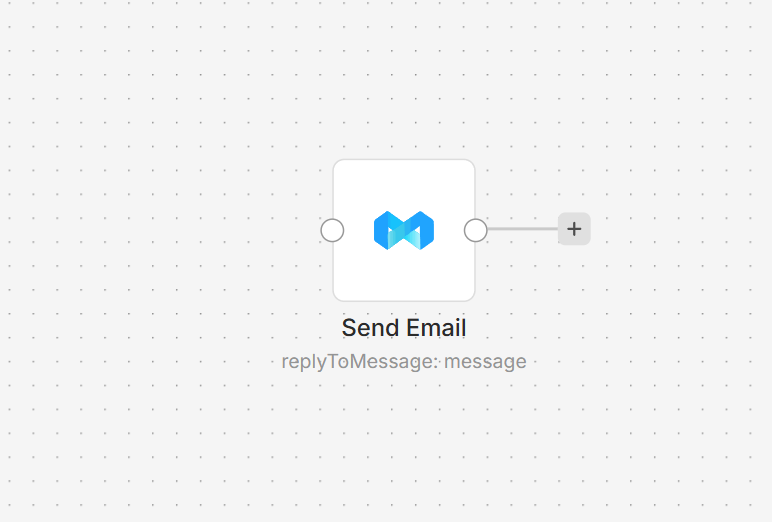
ManyReach node on an n8n workflow canvas

Connect ManyReach to n8n

  1. Install @nativeship/n8n-nodes-manyreach from Settings → Community Nodes in n8n.
  2. In ManyReach, open Account Settings → API and copy your key.
  3. In n8n, create a ManyReach API credential and paste the key into X-API-Key.
  4. Add the ManyReach node and choose a resource and operation.
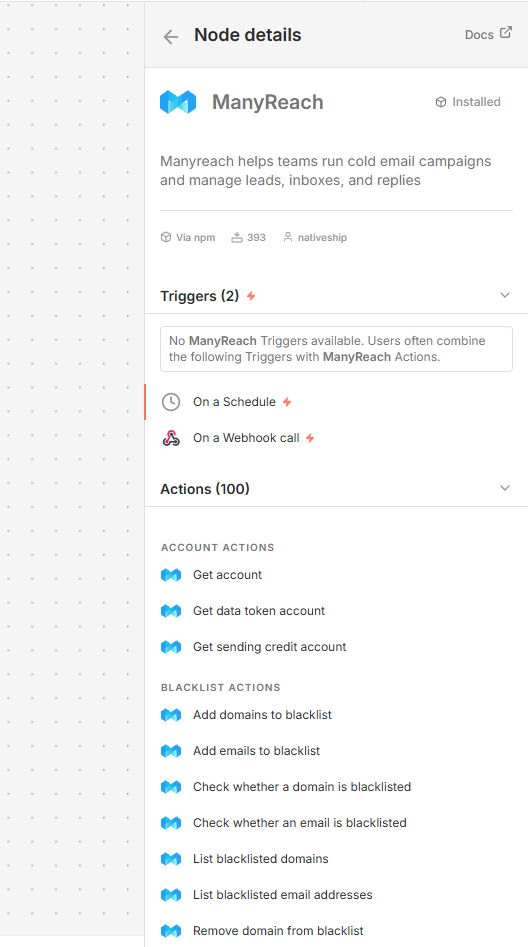
ManyReach node details in n8n showing campaign, prospect, message, and sender actions

What you can do

Create, update, start, pause, archive, or review campaigns and their statistics. Add and manage prospects, mailing lists, senders, and campaign sequences.

The node can also retrieve messages and reply to them, check email addresses, and manage email and domain blacklists. Account, workspace, and clientspace actions are available for teams that use those areas in ManyReach.

Built with NativeShip

NativeShip created and manages this ManyReach node. NativeShip helps SaaS companies launch and maintain official, verification-ready n8n community nodes in minutes, so customers can use their products directly in n8n.

Want to launch an n8n node for your SaaS? Explore NativeShip.

ManyReach questions

You can manage campaigns and prospects, read campaign messages and statistics, work with lists and senders, and check or update blacklist entries.

Yes. The node includes campaign actions to start, pause, archive, update, and review campaigns.

Yes. It supports creating prospects and adding prospects to lists or campaigns, including bulk additions.

Yes. The node can retrieve messages and send a reply. It can also retrieve message history for a prospect.

Copy it from Account Settings → API in ManyReach, then enter it in the X-API-Key field of the ManyReach API credential in n8n.

All Sales & Lead Generation nodes
  • Saleshandy

    Published with provenancePublished with provenancenpm holds a signed attestation linking this release to the exact source commit and CI run that built it, so you can check what you install was built from the code it claims.What provenance means

    @nativeship/n8n-nodes-saleshandy

    Connect Saleshandy to n8n to find and enrich leads, manage prospects and sequences, reply to email threads, and review outreach analytics.

    12 downloads last week
  • SendPilot

    Published with provenancePublished with provenancenpm holds a signed attestation linking this release to the exact source commit and CI run that built it, so you can check what you install was built from the code it claims.What provenance means

    @nativeship/n8n-nodes-sendpilot

    Use the SendPilot n8n node to manage LinkedIn campaigns and leads, read inbox conversations, and send messages from your workflows

    19 downloads last week

Ready to launch your n8n, Make, Zapier or Activepieces integration?

Give your customers another way to use your product.

Get started