Skip to content

DataFast n8n community node

Published with provenancePublished with provenancenpm holds a signed attestation linking this release to the exact source commit and CI run that built it, so you can check what you install was built from the code it claims.What provenance means

@nativeship/n8n-nodes-datafast

Connect DataFast to n8n to retrieve website traffic, campaign, conversion, and revenue analytics, and manage goals, funnels, alerts, and site settings.

Install in n8n

Open Settings → Community Nodes → Install and paste this name.

@nativeship/n8n-nodes-datafast

n8n Cloud installs only community nodes verified by n8n, so this one needs self-hosted n8n.

What you can do with DataFast in n8n

39 operations across 9 resources

Analytics

5 operations

  • Get website metadata — Requires analytics:read for account tokens where applicable.
  • Get aggregate analytics — Returns aggregate metrics for a date range, or all time when dates are omitted.
  • Get time-series analytics — Returns time-bucketed metrics. Supply startAt and endAt together.
  • Get realtime map — Requires analytics:read for account tokens where applicable.
  • Get realtime visitors — Requires analytics:read for account tokens where applicable.

Bot traffic

9 operations

  • Create Bot traffic request-auth token — The full request-authentication token is returned only once.
  • Delete Bot traffic request-auth token — Deleting the token also turns authentication enforcement off.
  • Get requested pages — Requires analytics:read for account tokens where applicable.
  • Get Bot traffic settings — Requires settings:read for account tokens where applicable.
  • Get Bot traffic summary — Requires analytics:read for account tokens where applicable.
  • Get Bot traffic token status — Requires settings:read for account tokens where applicable.
  • Get Bot traffic account usage — Account-wide usage endpoint; the token must have access to all websites.
  • Rotate Bot traffic request-auth token — Rotation immediately invalidates the previous token.
  • Update Bot traffic settings — Requires settings:write for account tokens where applicable.

Breakdowns

11 operations

  • Get browser analytics — Returns analytics grouped by this dimension. Date bounds must be paired.
  • Get campaign analytics — Returns analytics grouped by this dimension. Date bounds must be paired.
  • Get city analytics — Returns analytics grouped by this dimension. Date bounds must be paired.
  • Get country analytics — Returns analytics grouped by this dimension. Date bounds must be paired.
  • Get device analytics — Returns analytics grouped by this dimension. Date bounds must be paired.
  • Get exit-click analytics — Returns analytics grouped by this dimension. Date bounds must be paired.
  • Get hostname analytics — Returns analytics grouped by this dimension. Date bounds must be paired.
  • Get operating-system analytics — Returns analytics grouped by this dimension. Date bounds must be paired.
  • Get page analytics — Returns analytics grouped by this dimension. Date bounds must be paired.
  • Get referrer analytics — Returns analytics grouped by this dimension. Date bounds must be paired.
  • Get region analytics — Returns analytics grouped by this dimension. Date bounds must be paired.

Funnels

2 operations

  • Get funnel analytics — Returns step-by-step conversion analytics for an active funnel. Date bounds must be paired.
  • List funnels — Requires funnels:read for account tokens where applicable.

Goals

4 operations

  • Analyze custom goals — Requires analytics:read for account tokens where applicable.
  • Get custom goal properties — Discover property names for a custom goal, or compare completions by value. eventName is required.
  • List goal customizations — Requires goals:read for account tokens where applicable.
  • List tracked goals — Requires settings:read for account tokens where applicable.

Identity

1 operation

  • Identify a visitor — Links a DataFast visitor to a user ID. Additional top-level fields are shallow-merged into profile metadata.

Notes

4 operations

  • Create manual note — idempotencyKey prevents duplicate retries while the note exists.
  • Delete manual note — Requires notes:write for account tokens where applicable.
  • List manual notes — Requires notes:read for account tokens where applicable.
  • Update manual note — Requires notes:write for account tokens where applicable.

Social mentions

1 operation

  • List social mentions — Search stored X and Reddit mentions. This endpoint does not start a new search.

Visitors

2 operations

  • Get visitor — Requires analytics:read for account tokens where applicable.
  • List visitors — Search lightweight visitor rows; use Get visitor to retrieve a visitor journey.

About DataFast

DataFast helps you see which channels bring visitors and revenue to your website. The DataFast API n8n node brings those analytics and related account actions into your n8n workflows.
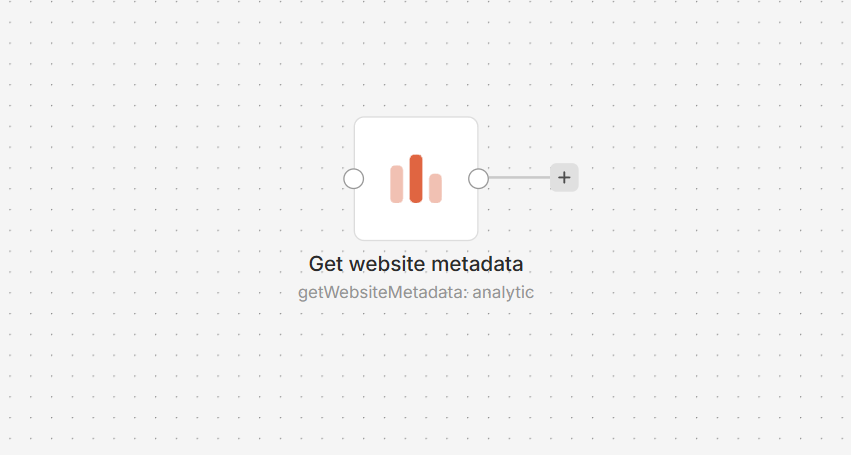
DataFast API node on an n8n workflow canvas

Connect DataFast to n8n

  1. Install @nativeship/n8n-nodes-datafast from Settings > Community Nodes in n8n.
  2. In DataFast, create a dft_ account token under Account settings > API. Grant it the permissions needed for your selected actions and limit it to the relevant websites if needed.
  3. In n8n, create a DataFast API credential and paste the token into Access Token.
  4. Add the DataFast API node and choose a resource and action.
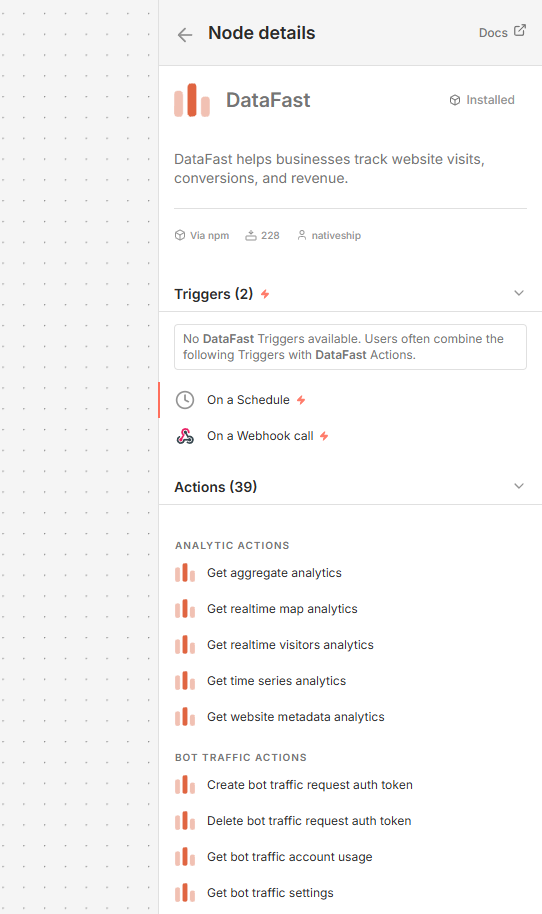
DataFast API node details in n8n showing analytics, goals, funnels, alerts, payments, visitors, and website actions

What you can do

Retrieve overview and time-series analytics, check current visitors, and break results down by pages, campaigns, referrers, locations, and devices. The node also supports goals and payment events, funnels, alerts, website notes, visitors, team access, settings, and integrations.

Built with NativeShip

NativeShip created and manages this DataFast node. NativeShip helps SaaS companies launch and maintain verification-ready n8n community nodes. n8n reviews nodes submitted for verification and makes the approval decision.

Want to launch an n8n node for your SaaS? Explore NativeShip.

DataFast questions

You can retrieve website analytics, review traffic and revenue by source, track custom events, and manage tools such as funnels, alerts, and website settings.

Yes. The node supports current visitor data, aggregate reports, time-series analytics, and breakdowns such as pages, campaigns, referrers, countries, and devices.

Yes. You can create and manage funnels and alerts, and work with custom goals and goal settings.

Yes. It supports creating payment events and custom goal events in DataFast.

Create a dft_ account token in DataFast and add it to the Access Token field in the DataFast API credential. Grant the token permissions for the actions and websites you plan to use.

All Analytics & BI nodes
  • Microsoft Clarity

    Published with provenancePublished with provenancenpm holds a signed attestation linking this release to the exact source commit and CI run that built it, so you can check what you install was built from the code it claims.What provenance means

    @nativeship/n8n-nodes-microsoft-clarity

    Connect Microsoft Clarity to n8n to retrieve project dashboard insights for traffic, engagement, clicks, scrolling, and errors.

    7 downloads last week
  • TrustMRR

    Published with provenancePublished with provenancenpm holds a signed attestation linking this release to the exact source commit and CI run that built it, so you can check what you install was built from the code it claims.What provenance means

    @nativeship/n8n-nodes-trustmrr

    Use the TrustMRR n8n node to browse startups, filter by verified revenue and sale status, and retrieve detailed startup profiles in your workflows

    20 downloads last week

Ready to launch your n8n, Make, Zapier or Activepieces integration?

Give your customers another way to use your product.

Get started