Skip to content

GoDaddy Domain n8n community node

Published with provenancePublished with provenancenpm holds a signed attestation linking this release to the exact source commit and CI run that built it, so you can check what you install was built from the code it claims.What provenance means

@nativeship/n8n-nodes-godaddy-domain

Use the GoDaddy Domain n8n node to check domain availability and manage DNS records, renewals, transfers, contacts, and forwarding.

Install in n8n

Open Settings → Community Nodes → Install and paste this name.

@nativeship/n8n-nodes-godaddy-domain

n8n Cloud installs only community nodes verified by n8n, so this one needs self-hosted n8n.

What you can do with GoDaddy Domain in n8n

50 operations across 2 resources

Domains

45 operations

  • Check Domain Availability — Checks whether the specified domain can be purchased.
  • Check Availability in Bulk — Checks whether each submitted domain can be purchased.
  • Cancel Registrant Change — Cancels a pending change of registrant for the specified domain.
  • Delete Domain Forwarding — Removes the forwarding configuration for the fully qualified domain name.
  • Get Domain Forwarding — Returns the forwarding configuration for the fully qualified domain name.
  • Create Domain Forwarding — Creates a forwarding configuration for the fully qualified domain name.
  • Update Domain Forwarding — Updates the forwarding configuration for the fully qualified domain name.
  • Get Domain — Returns details for the specified domain.
  • Get Purchase Agreements — Returns the legal agreements needed for the selected TLDs and add-ons.
  • Get Domain — Returns details for the specified domain.
  • Get Registrant Change — Returns change-of-registrant details for the specified domain.
  • Get Registration Schema — Returns the registration fields required for the selected TLD.
  • List Maintenance Windows — Returns upcoming system maintenance windows.
  • Get Maintenance Details — Returns details for the specified upcoming maintenance window.
  • List Domains — Returns domains associated with the specified shopper.
  • Update Privacy Email Forwarding — Updates how messages to the domain privacy email address are delivered.
  • Redeem Domain — Purchases a restore for the domain to bring it out of redemption.
  • Renew Domain — Renews the specified domain.
  • Start Domain Transfer — Purchases and starts or restarts a transfer for the specified domain.
  • Accept Incoming Transfer — Accepts the incoming transfer for the specified domain.
  • Cancel Incoming Transfer — Cancels the incoming transfer for the specified domain.
  • Restart Incoming Transfer — Restarts the incoming transfer request from the beginning.
  • Retry Incoming Transfer — Retries the incoming transfer with the supplied authorization code.
  • Start .uk Transfer Out — Initiates transfer of a.uk domain to another registrar.
  • Accept Outgoing Transfer — Accepts the outgoing transfer for the specified domain.
  • Reject Outgoing Transfer — Rejects the outgoing transfer for the specified domain.
  • Register Domain — Purchases and registers the specified domain.
  • Validate Registration — Validates registration details against the schema for the selected TLD.
  • Register Domain — Purchases and registers the specified domain.
  • Purchase Domain Privacy — Purchases privacy for the specified domain.
  • Replace Name Servers — Replaces the existing name servers for the specified domain.
  • Add DNS Records — Adds the submitted DNS records to the domain.
  • Delete DNS Records — Deletes DNS records matching the specified type and name.
  • Get DNS Records — Returns DNS records matching the specified domain, type, and name.
  • Replace DNS Records — Replaces all DNS records for the domain.
  • Replace DNS Records by Type — Replaces DNS records of the selected type for the domain.
  • Update DNS Records — Replaces DNS records matching the specified type and name.
  • Renew Domain — Renews the specified domain.
  • Get Registration Schema — Returns the registration fields required for the selected TLD.
  • Suggest Domain Names — Returns alternate domain suggestions based on a seed domain, keywords, or purchase history.
  • Start Domain Transfer — Purchases and starts or restarts a transfer for the specified domain.
  • Update Domain — Updates supported details for the specified domain.
  • Update Domain Contacts — Updates contact information for the specified domain.
  • Validate Registration — Validates purchase details against the registration schema for the selected TLD.
  • Resend Registrant Verification — Resends the verification email for the domain registrant contact.

Notifications

5 operations

  • Get Next Domain Notification — Returns the next available domain notification for the customer.
  • List Notification Opt-ins — Returns the notification types the customer has opted into.
  • Get Notification Schema — Returns the data schema for the specified notification type.
  • Acknowledge Notification — Acknowledges the specified domain notification.
  • Opt in to Notifications — Opts the customer in to notifications for the submitted types.

About GoDaddy Domain

The GoDaddy Domain n8n node exposes actions for domain availability and registration, DNS records, renewals, transfers, contacts, and forwarding.
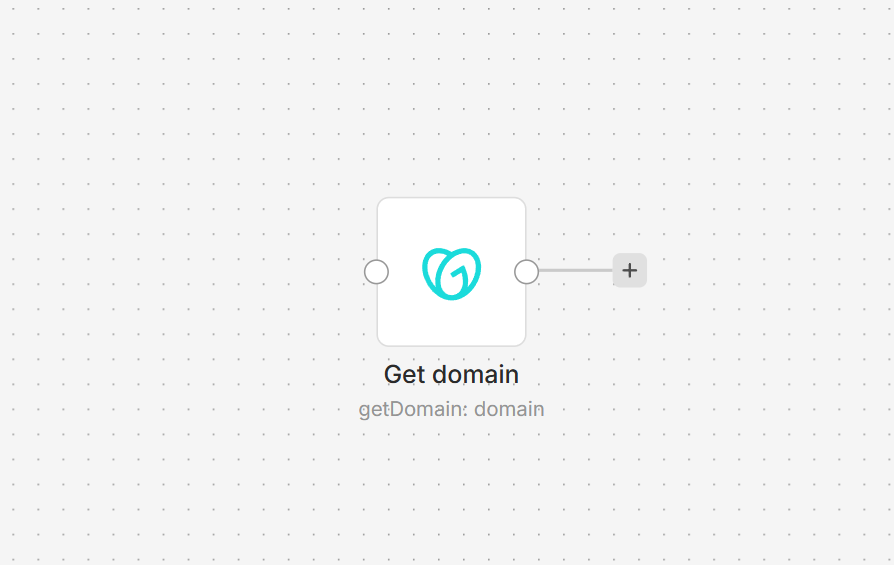
GoDaddy Domain node on an n8n workflow canvas

Connect GoDaddy to n8n

Install @nativeship/n8n-nodes-godaddy-domain from Settings > Community Nodes in n8n. GoDaddy requires an authorization token with permissions for the domain actions you use. The current published package does not define an n8n credential field, so it cannot send that token. Add authentication support to the node before using its protected actions with a GoDaddy account.
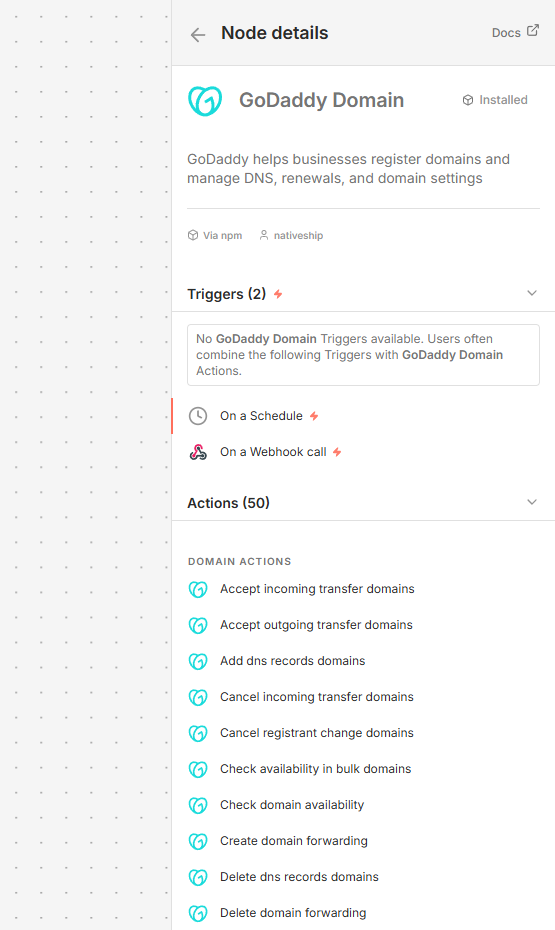
GoDaddy Domain node details in n8n showing domain, DNS, renewal, transfer, contact, and forwarding actions

What you can do

The node includes operations to check domain availability, register and renew domains, read and change DNS records, update domain contacts, and manage transfers and forwarding. It also exposes actions for domain notifications, registrant changes, and name servers.

Built with NativeShip

NativeShip created and manages this GoDaddy Domain node. NativeShip helps SaaS companies launch and maintain verification-ready n8n community nodes. n8n reviews nodes submitted for verification and makes the approval decision.

Want to launch an n8n node for your SaaS? Explore NativeShip.

GoDaddy Domain questions

The package exposes actions for availability checks, registration, DNS, contacts, renewals, transfers, forwarding, notifications, and domain settings.

The node includes actions to read, add, update, replace, and delete DNS records. GoDaddy's DNS management applies to domains using GoDaddy's authoritative nameservers.

Both actions are included in the package. Domain registration can charge the billing method on your GoDaddy account, so check the domain and price before submitting a registration.

GoDaddy's domain endpoints require an authorization token with the appropriate scopes. GoDaddy recommends a Personal Access Token (PAT) for new integrations; v1 and v2 endpoints also accept the legacy sso-key credential.

Yes. Its available operations include starting and managing domain transfers, and creating, retrieving, updating, or deleting forwarding rules.

Ready to launch your n8n, Make, Zapier or Activepieces integration?

Give your customers another way to use your product.

Get started