Skip to content

Buy Me a Coffee n8n community node

Published with provenancePublished with provenancenpm holds a signed attestation linking this release to the exact source commit and CI run that built it, so you can check what you install was built from the code it claims.What provenance means

@nativeship/n8n-nodes-buy-me-cofee

Use the Buy Me a Coffee n8n node to retrieve supporter, membership, and extra purchase details from your creator account.

Install in n8n

Open Settings → Community Nodes → Install and paste this name.

@nativeship/n8n-nodes-buy-me-cofee

n8n Cloud installs only community nodes verified by n8n, so this one needs self-hosted n8n.

What you can do with Buy Me a Coffee in n8n

6 operations across 3 resources

Extras

2 operations

  • Get extra purchase — Retrieve the extra purchase identified by the purchase ID.
  • List extras purchases — List extras purchases. Results are paginated.

Members

2 operations

  • Get member — Retrieve details for the member identified by the path ID.
  • List members — List members with active and inactive subscription statuses. Results are paginated. Use the status filter to select all, active, or inactive members.

Supporters

2 operations

  • Get supporter — Retrieve details for the one-time supporter identified by the path ID.
  • List supporters — List one-time supporters and their messages, when provided. Results are paginated.

About Buy Me a Coffee

The Buy Me a Coffee n8n node brings your creator account records into n8n. Look up supporters, membership subscriptions, and extra purchases, or retrieve a specific record by its ID.
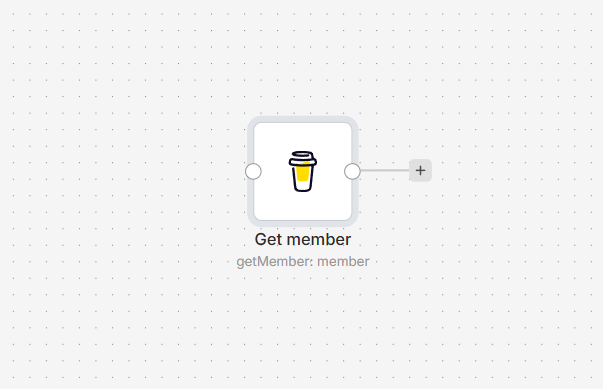
Buy Me a Coffee node on an n8n workflow canvas

Connect Buy Me a Coffee to n8n

  1. Install @nativeship/n8n-nodes-buy-me-cofee from Settings → Community Nodes in n8n.
  2. Create an access token in the Buy Me a Coffee developer dashboard.
  3. In n8n, create a Buy Me A Coffee API credential and paste the token into Access Token.
  4. Add the Buy Me a Coffee node and choose the data you want to retrieve.
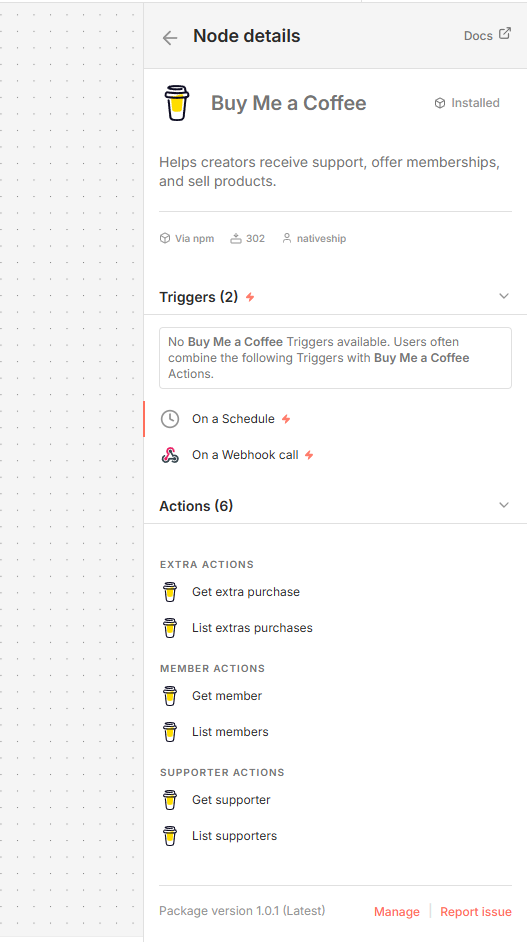
Buy Me a Coffee node details in n8n showing supporter, member, and extra purchase actions

What you can do

List supporters or retrieve one supporter by ID. List membership subscriptions or get details for a specific member. You can also list extra purchases and retrieve an individual purchase.

The node provides read actions for these records. It does not create supporters, memberships, or purchases.

Built with NativeShip

NativeShip created and manages this Buy Me a Coffee node. NativeShip helps SaaS companies launch and maintain official, verification-ready n8n community nodes in minutes, so customers can use their products directly in n8n.

Want to launch an n8n node for your SaaS? Explore NativeShip.

Buy Me a Coffee questions

The node can list or look up supporters, members from subscriptions, and extra purchases.

No. The available node actions retrieve existing supporter, membership, and extra purchase records.

Create a token in the Buy Me a Coffee developer dashboard, then add it to the Access Token field in the Buy Me A Coffee API credential in n8n.

Yes. Choose Get Supporter or Get Member and provide the record ID.

Can I retrieve extra purchases from n8n?

Ready to launch your own n8n community node?

Give your customers another way to use your product.

Start building