How I Built and Published a TidyCal n8n Node (Part 1)
I wanted to turn TidyCal's API into a node that people could add to their n8n workflows. TidyCal already provides an OpenAPI specification, so I used that as the starting point in NativeShip. I then edited the generated node, built it, prepared a GitHub repository, and published it to npm.
This is my actual build, including the decisions and small problems I encountered. My build took 1 minute 42 seconds; the later GitHub and npm setup took longer. Those are the times from my run, not a promise for another API.
I plan to submit the package for n8n verified community node review, but that review has not happened yet. I will write Part 2 when I have a real submission and outcome to show. Publishing an npm package and being verified by n8n are separate steps, as n8n's submission guide explains.
Step 1: I downloaded TidyCal's OpenAPI specification
I searched for TidyCal's OpenAPI specification and landed on the official TidyCal developer documentation. At the top of that page, I found Download OpenAPI specification and downloaded the file.
I used the file from TidyCal's own documentation because I wanted the node to start from the API owner's published paths and fields. I still planned to inspect what NativeShip generated; importing a specification does not prove that every action works with a live account.
If you want to test TidyCal's API while following along, check its account requirements. TidyCal says API access requires a paid plan and documents bearer-token and OAuth 2.0 authentication on the same page.
Step 2: I created a TidyCal project in NativeShip
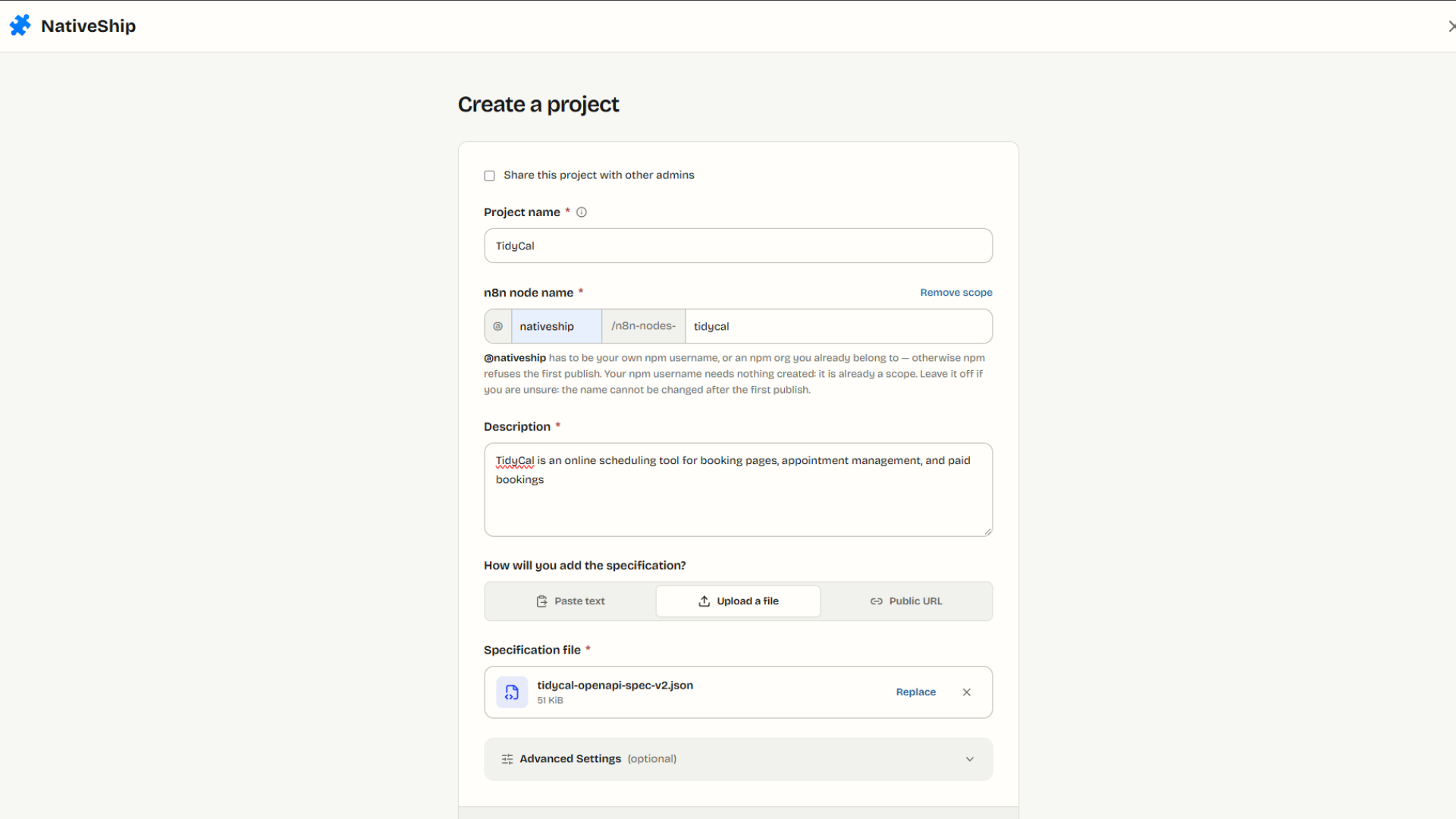
In NativeShip, I selected Create Project and entered TidyCal as the project name. I used this description:
TidyCal is an online scheduling tool for booking pages, appointment management, and paid bookings.
Then I uploaded the OpenAPI file from Step 1. I chose an upload because I already had the exact file I wanted to use and could keep that input with my build notes.
Step 3: I filled in Advanced Settings before creating the node
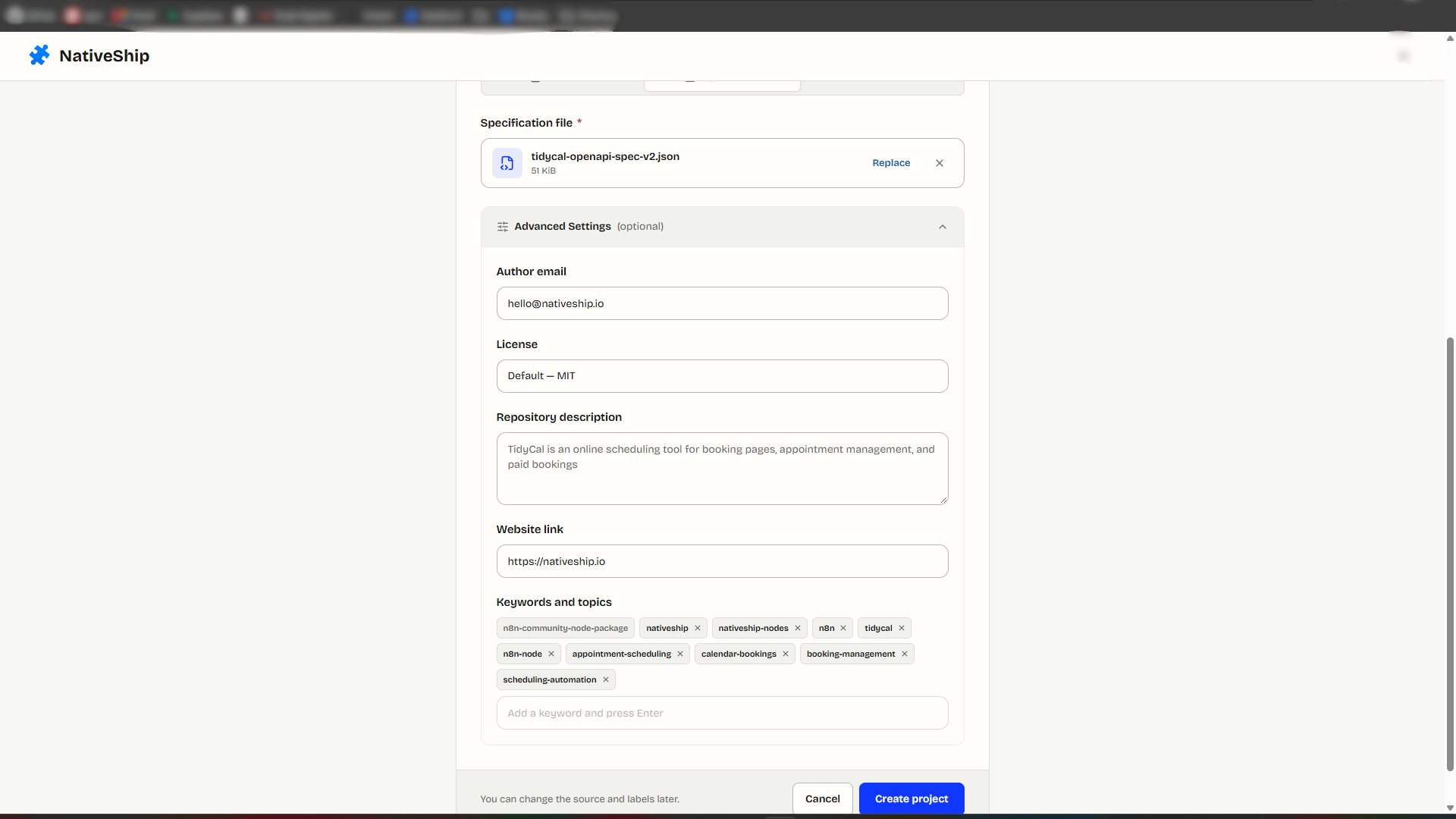
I opened Advanced Settings and added a support email, TidyCal's website URL, and tags relevant to the integration.
I used a monitored support email because someone maintaining a public package should be reachable. n8n's verification guidelines call for matching author and maintainer information between npm and the public repository. Adding an email alone does not make a package eligible for verification; I still need to check the final metadata.
I added the website so the repository would point readers back to the service, and I added tags to describe the package. In the finished TidyCal GitHub repository, the public topics include TidyCal, scheduling, bookings, and n8n. This gives someone inspecting the source useful context.
After reviewing the details, I clicked Create Project. NativeShip took me into the node editor.
Step 4: I edited the node's main information
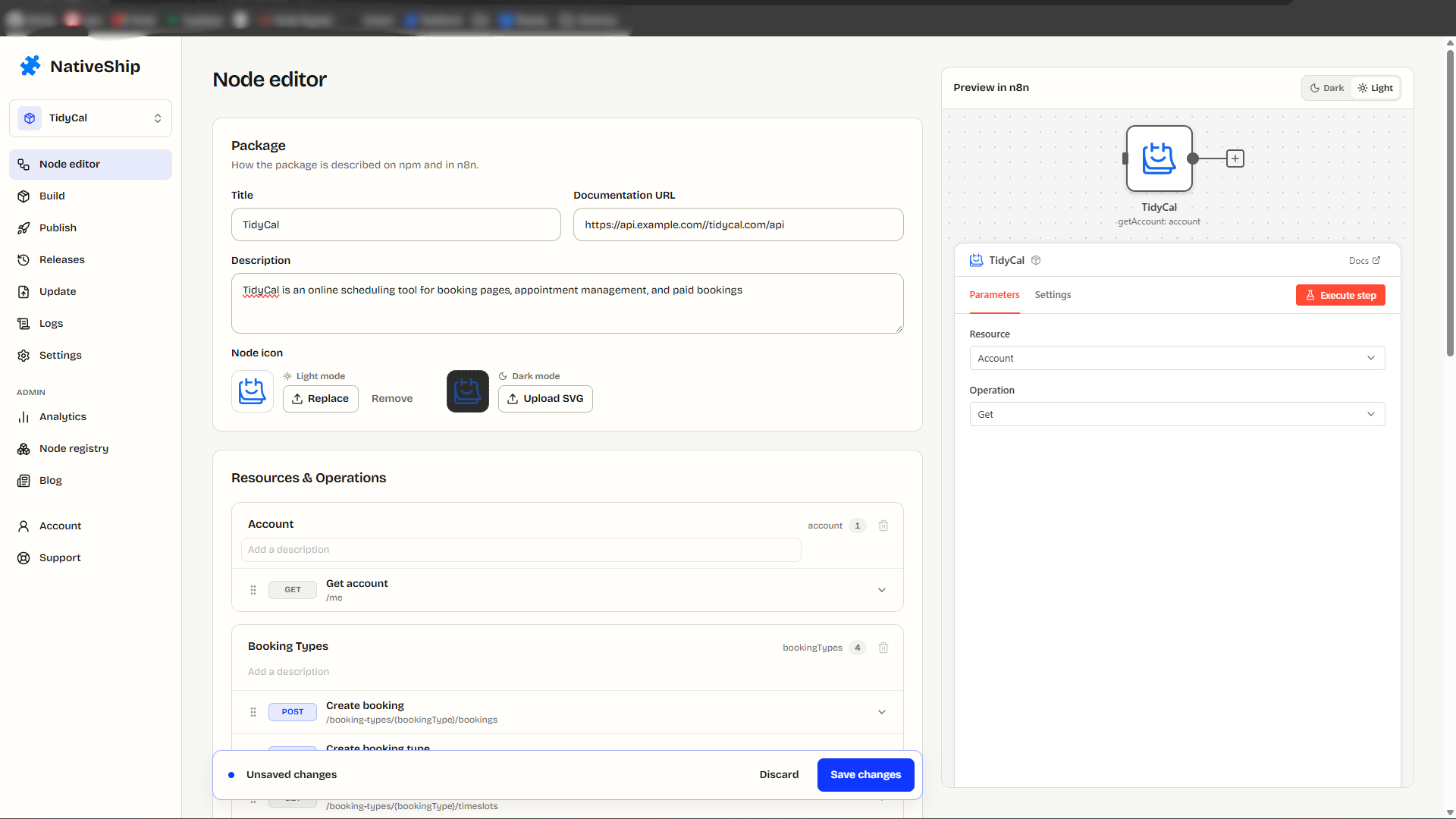
The imported API gave me a starting node, but I did not want to publish its labels without reading them. In the node editor, I set the node name, added the TidyCal documentation URL, and checked the description.
I chose the documentation link because someone using the node may need to confirm a field or an API limitation while building a workflow. I kept the description consistent with the project so the repository and the node would describe the same service.
Step 5: I reviewed every resource and action
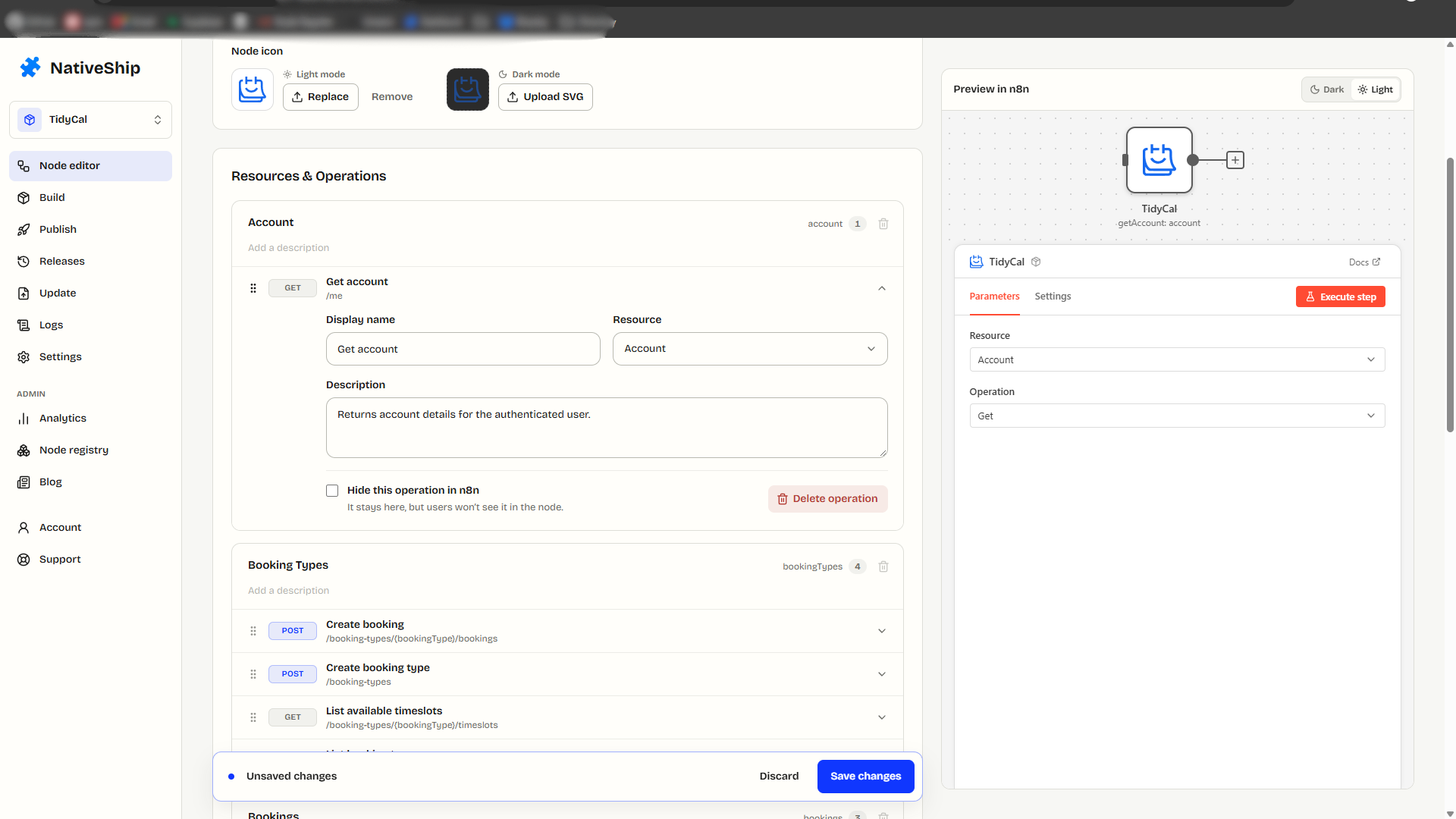
Next, I opened the resources and actions that NativeShip created from the specification. I changed names and descriptions where they would be clearer to an n8n user.
My aim was to make the available actions understandable in the workflow editor. I later wrote up how to decide which operations belong in a first release in how to choose API operations for an n8n node. For example, a reader should be able to recognize a booking action without decoding an API path. I used TidyCal's API reference to check what an action actually does before changing its wording.
This was an editorial step, not proof that every generated action had passed a live test. I still need to run authenticated requests in n8n and inspect their output before making that claim.
Step 6: I added help to the input fields
I then edited the input fields for the actions. Where a field might confuse someone, I added a placeholder, tooltip, or hint.
I did this because a field label alone may not tell someone which value to enter. The extra help can show the expected kind of input at the point where they need it. I checked TidyCal's documentation before writing field guidance so I would not give an example that conflicts with the API.
After I finished the resources, actions, and field text, I clicked Save Changes.
Step 7: I built the node
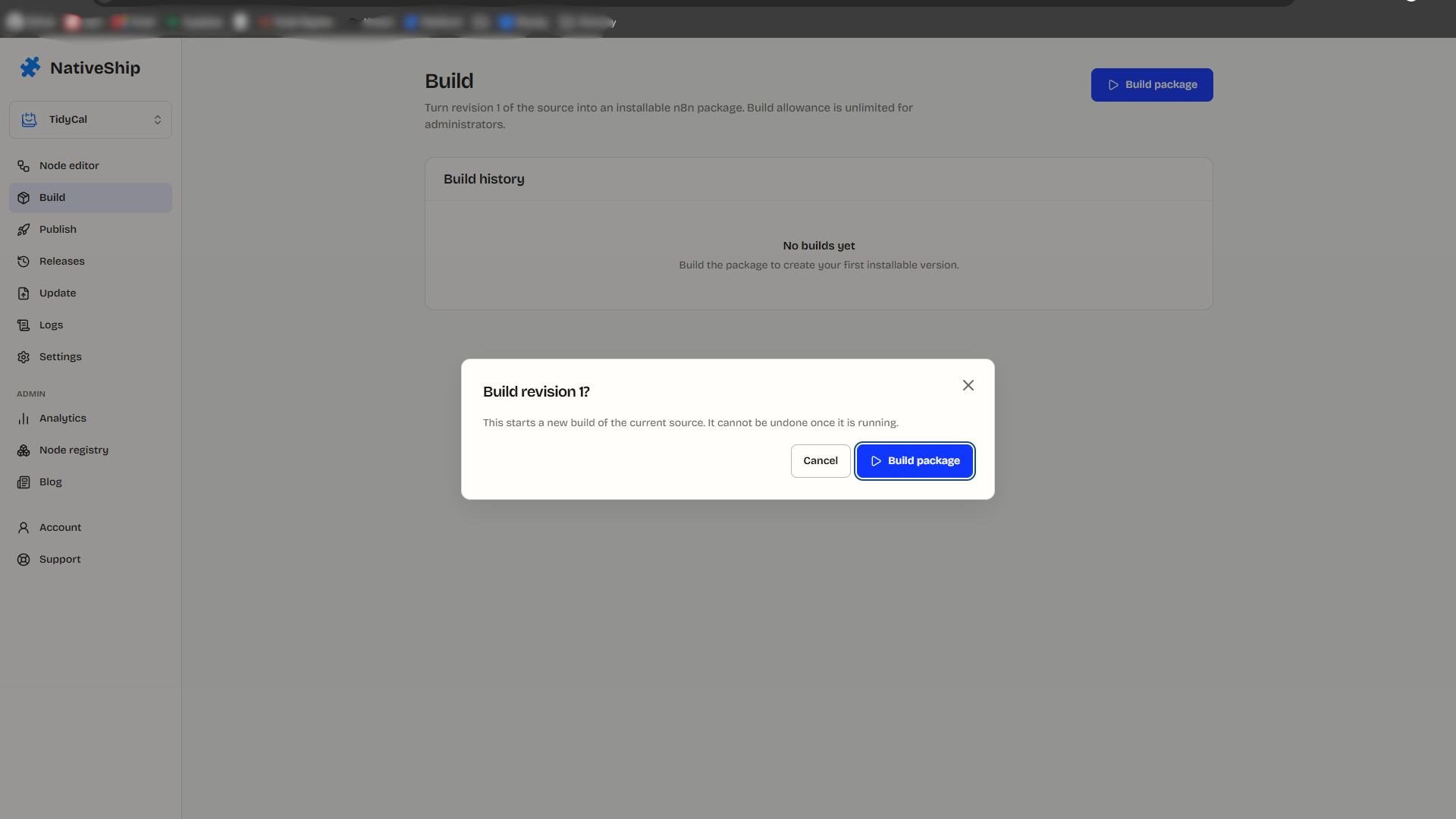
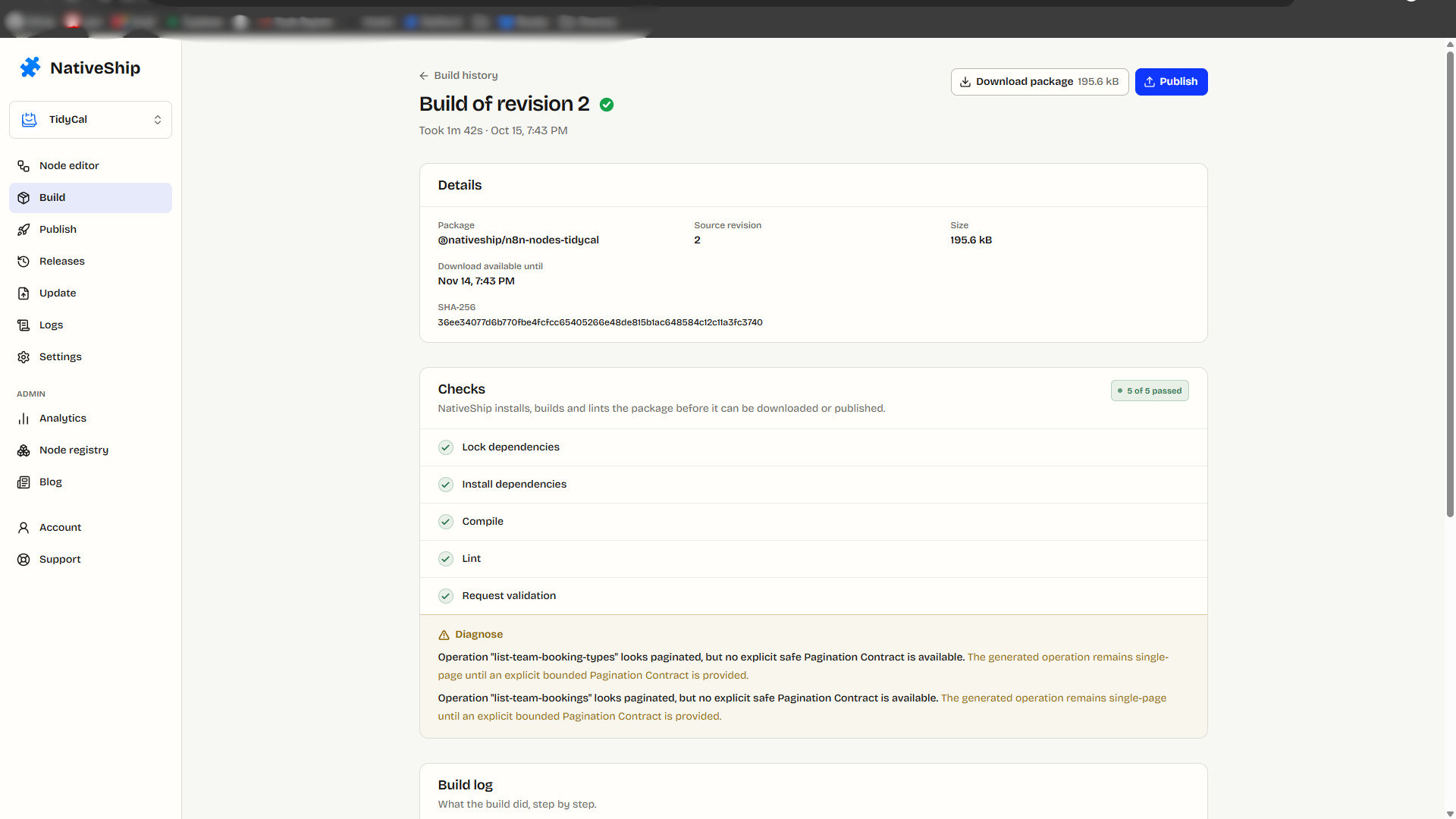
I opened the Build page and started the build. NativeShip completed my TidyCal package build in 1 minute 42 seconds.
That was the generation step in my run. I treated the result as a package to inspect, not as the end of quality checks. n8n's community node standards call for linting and local testing. An operation returning the expected result with the correct TidyCal credentials is still the check I need to document before I say the integration works end to end.
Step 8: I connected GitHub and prepared the repository
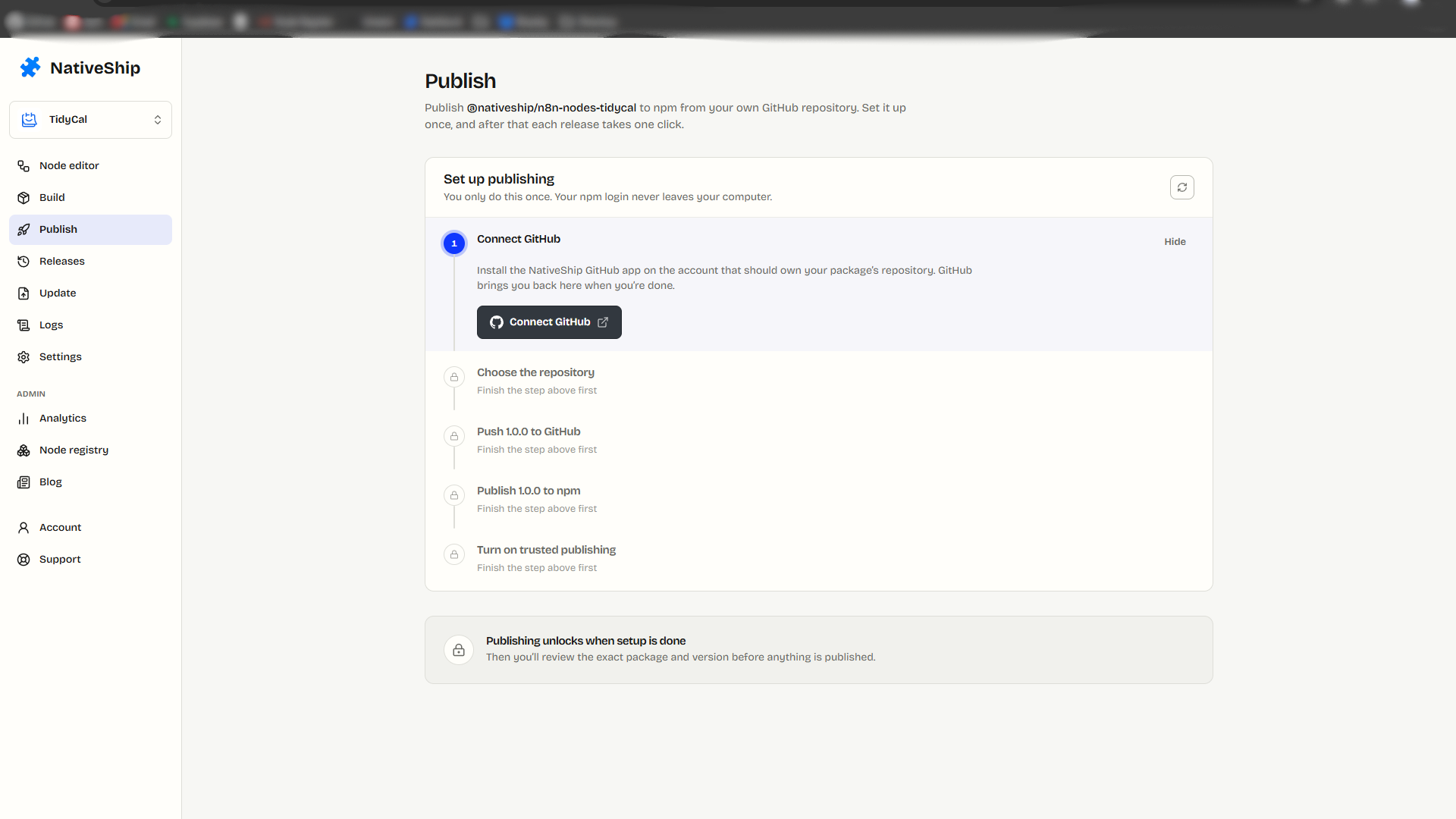
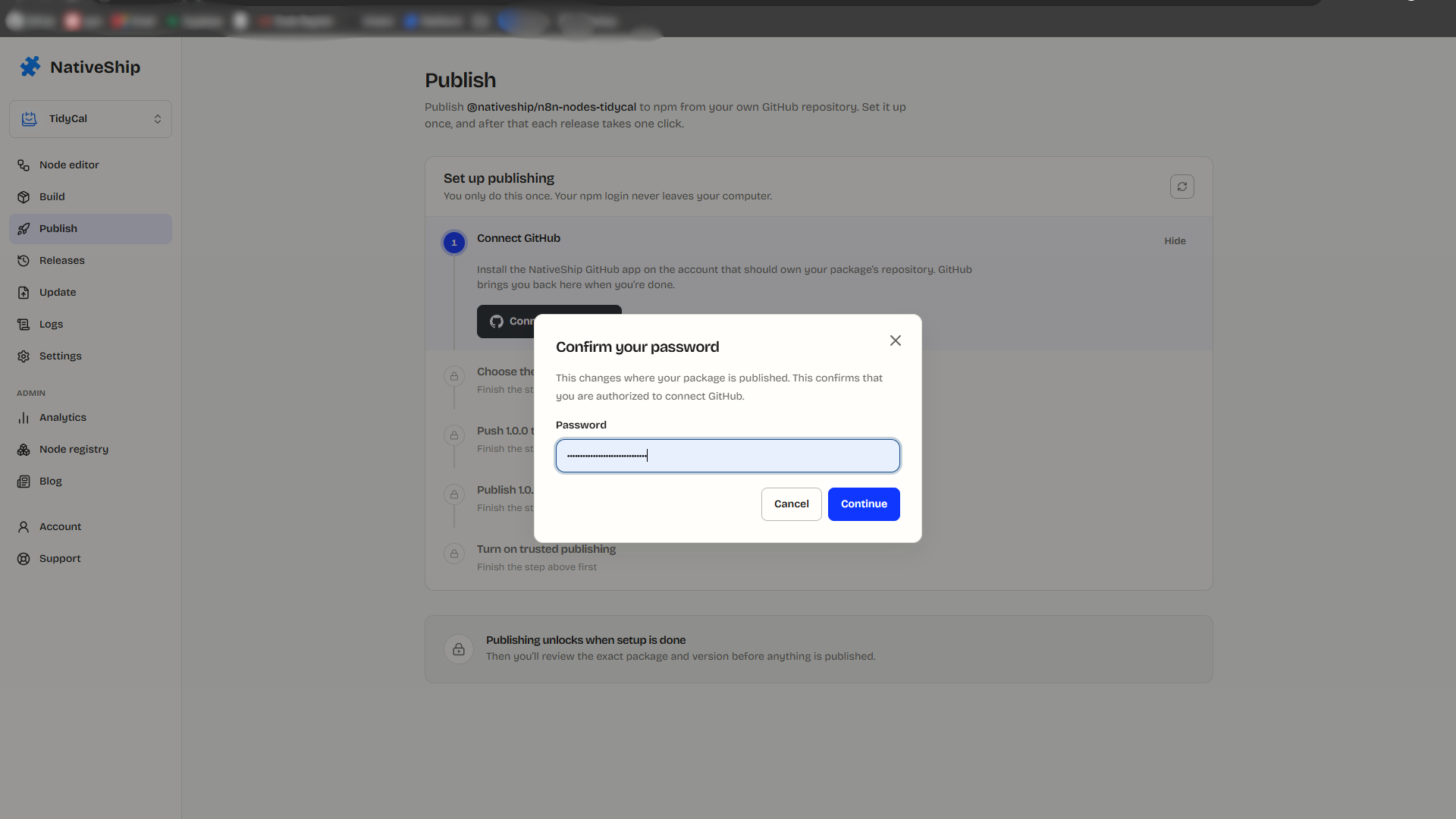
After the build, I opened Publish and selected Connect GitHub. My NativeShip session asked me for my NativeShip password during the connection. If your account does not have a password yet, the account's password reset flow can send a code by email so you can set one. I only had to set it for my account setup; I can change or reset it later.
A note from my experience: this is an account security step, so I did not put the password or email code in any screenshot. Follow the current instructions on your own screen if your sign-in method shows a different flow.
I chose a repository name that matched the node: n8n-nodes-tidycal. I wanted people to recognize the same project when they moved between NativeShip, GitHub, and npm. I clicked Prepare Repository; it took about a minute in my run. The resulting source is in the public TidyCal GitHub repository.
Step 9: I followed NativeShip's first npm publishing commands
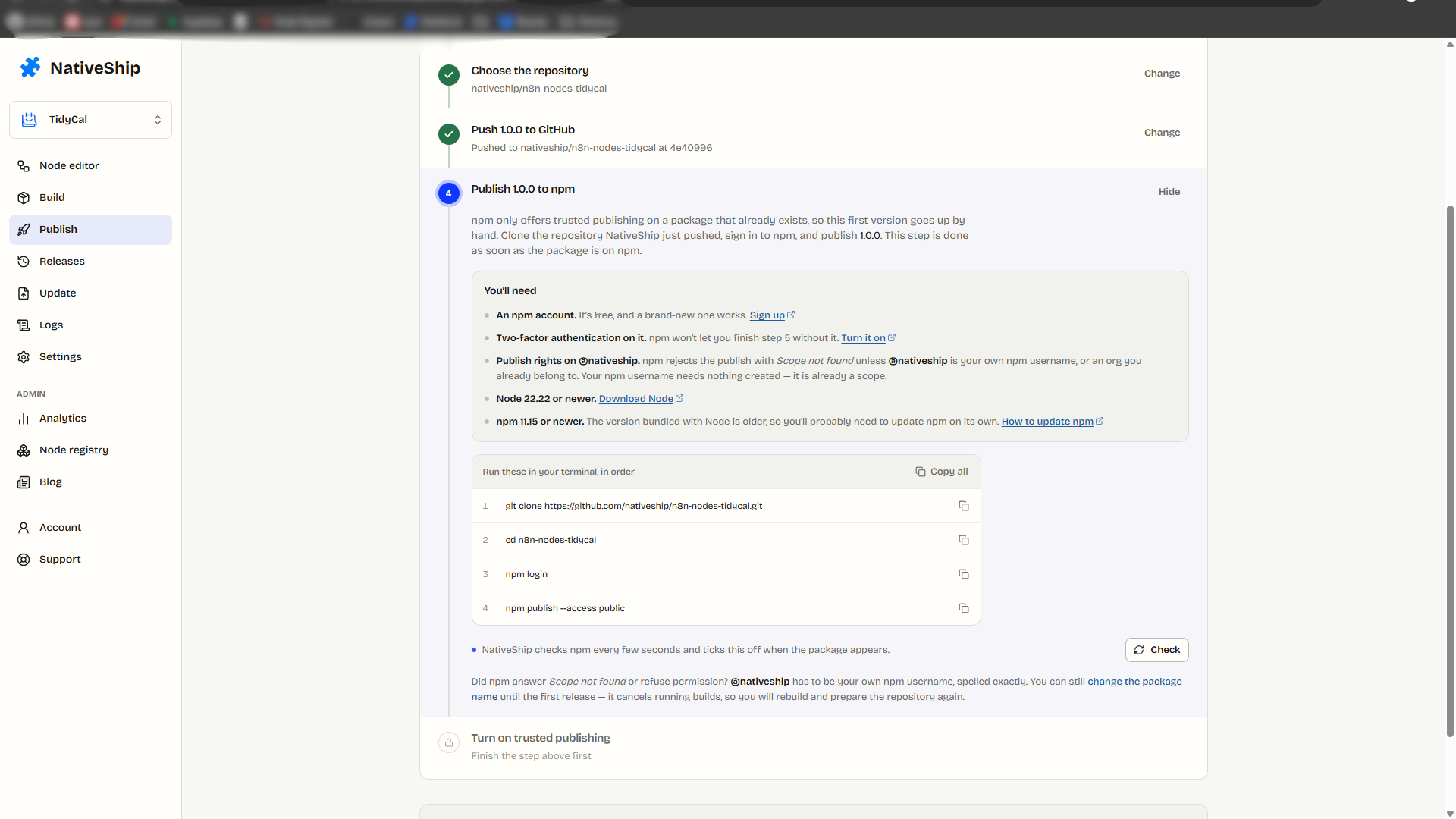
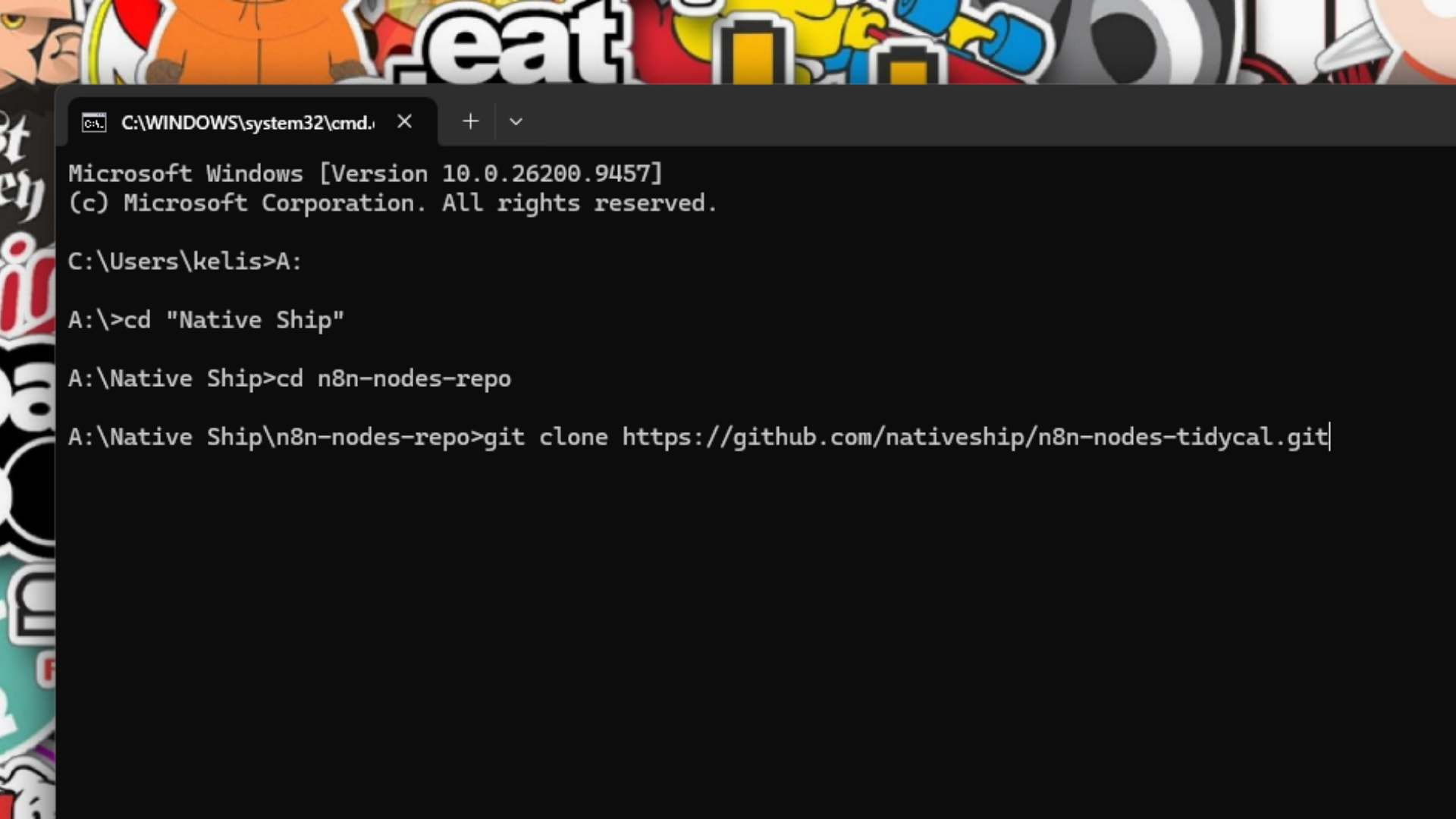
Once the repository was ready, NativeShip showed me the commands for the first npm release. In order, I cloned the GitHub repository to my computer, opened its folder, logged in to npm, and ran the publishing command shown for this project.
I copied those commands from my own Publish page. I do not want someone reading this article to copy a project-specific command from a screenshot and accidentally publish the wrong package. Use the commands NativeShip shows for your repository and check the npm account, package name, and version before confirming a release.
The first npm publishing stage took roughly 3–4 minutes in my run. I then refreshed the NativeShip dashboard to see the next step.
Step 10: I enabled trusted publishing and released version 1.0.1
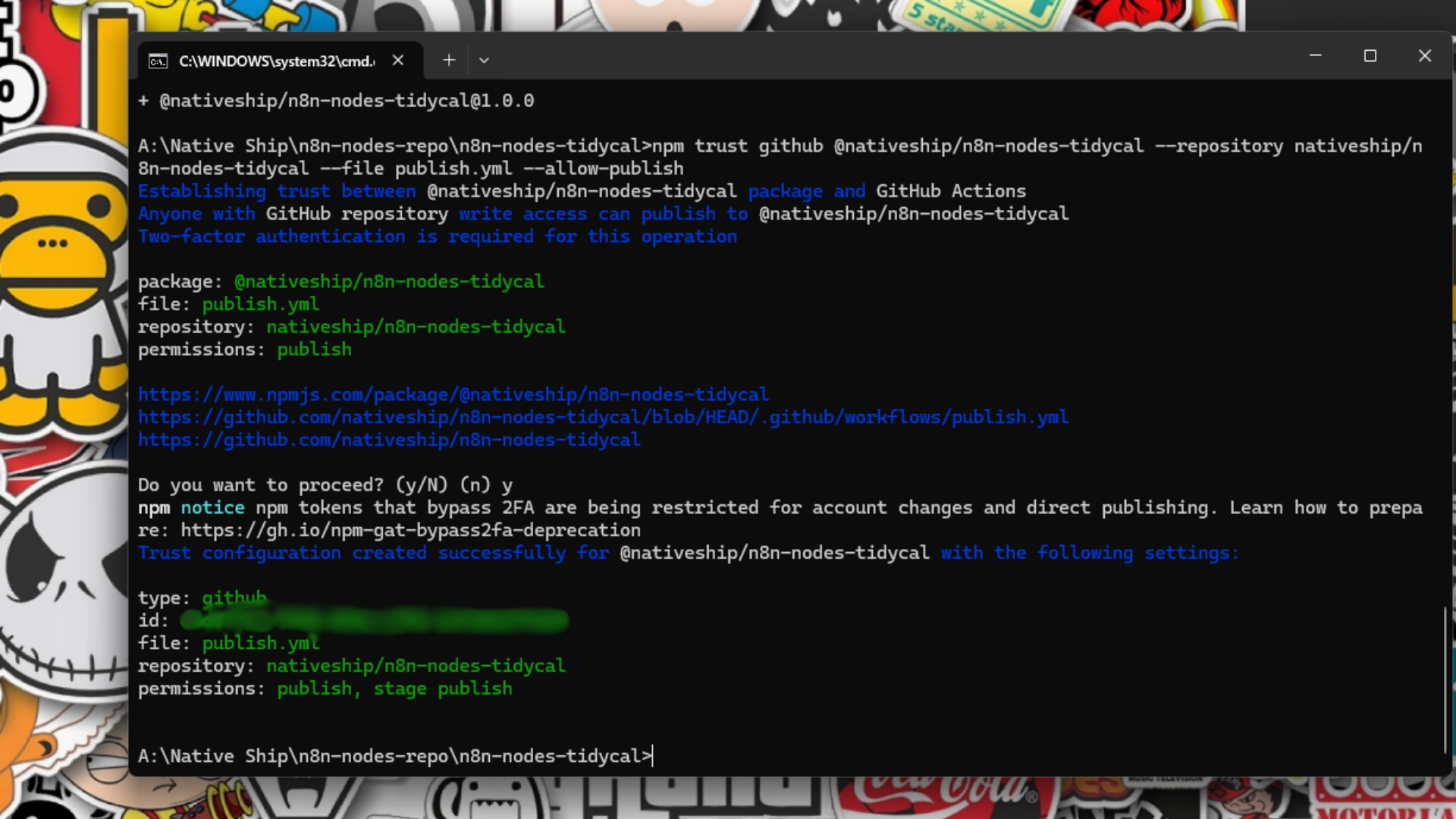
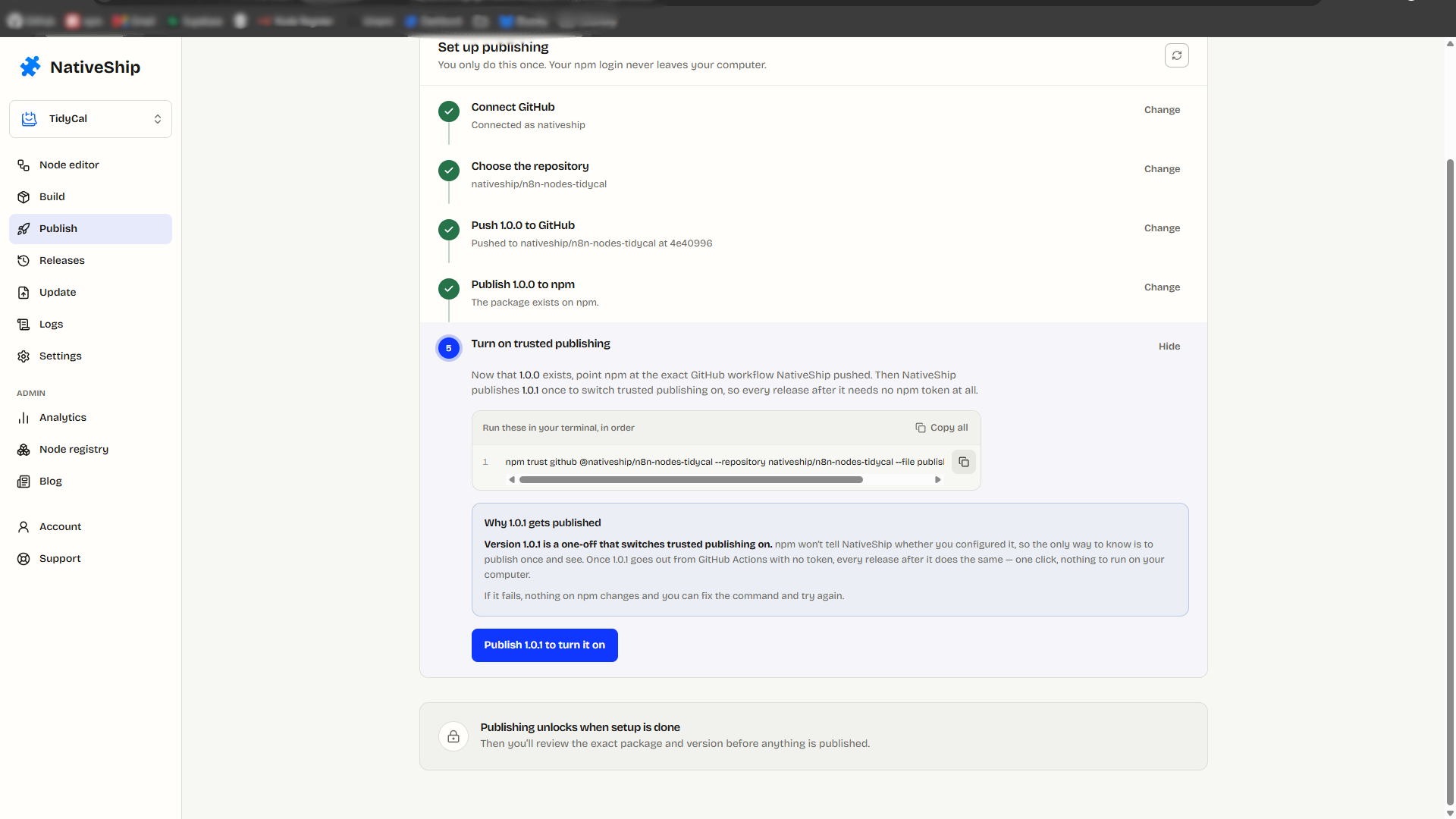
After I refreshed the dashboard, NativeShip gave me another terminal command for the GitHub and npm trusted publishing setup. I ran the command it provided and checked that the setup finished before moving on.
I did this because an n8n verification submission needs a release published through GitHub Actions with provenance. npm's trusted publishing documentation explains how the workflow uses a short-lived identity instead of a long-lived publish token. n8n now requires this route for all community nodes published from May 1, 2026, not only for nodes submitted for verification. The npm provenance guide covers the setup in more detail, and what is trusted publishing in n8n community nodes explains why.
Then I clicked Publish 1.0.1 in NativeShip. I can now point to the actual npm package and GitHub repository. npm's registry metadata for 1.0.1 includes a provenance attestation tied to the repository's .github/workflows/publish.yml workflow. This establishes the release path; n8n still has to evaluate the package itself.
One issue I need to resolve before n8n submission
During my review, I found an authentication mismatch that matters more than a clean publishing screen. The current repository README says the integration does not require credentials, and the published package does not declare an n8n credential. TidyCal's official API documentation says API requests use authenticated access and that API access requires a paid plan.
I need to check the generated credential configuration, correct the package or documentation where necessary, and run a real authenticated TidyCal operation in n8n. I will not describe the node as tested or ready for n8n verification until those checks are complete. This is why I reviewed the output after generating it instead of treating an OpenAPI import or npm publish as the final result.
Part 2: n8n's verified community node review
My next stage is to check the published package against n8n's verification guidelines and submit it through the Creator Portal. That review includes package source, metadata, documentation, technical and UX requirements, and the provenance of the submitted npm version. I have not submitted this TidyCal node yet, and I cannot predict how long n8n will take or what it will decide.
Verification also decides who can install the node. From n8n 3.0, self-hosted instances turn off unverified community nodes by default (N8N_UNVERIFIED_PACKAGES_ENABLED=false), so an unverified package from npm will not install unless an admin enables that setting. The n8n community node verification guide explains the review.
When I have a real submission and response, I will document the exact steps, any feedback, and what I changed in Part 2.
If you have an OpenAPI specification for your own service, start a NativeShip project and review the imported node as carefully as I reviewed this TidyCal build.
Frequently asked questions
I downloaded it from the official TidyCal developer documentation, using the Download OpenAPI specification control near the top of the page. I used that file for the NativeShip project rather than copying an API definition from another site.
No. It gave me a starting structure. I still reviewed the node name, every resource and action, and the help text for input fields. I also need to test an authenticated operation in n8n before I can say the node works end to end.
I added a monitored email so people know how to reach the package maintainer, and tags so the repository is easier to understand and find. Before n8n review, I also need to check that the author and maintainer details match between GitHub and npm. n8n's guidelines require that consistency; a support email alone does not make the node verified.
My NativeShip build took 1 minute 42 seconds. Preparing the repository took about a minute, and the first npm publishing stage took roughly 3–4 minutes in my run. Editing the node, reviewing the package, setting up accounts, and testing are separate work, so those timings are not a total creation time or a guarantee for another project.
TidyCal's API docs say API access requires a paid plan and describe authenticated requests. The current generated package and README do not declare an n8n credential. That mismatch needs to be fixed and tested before I recommend this package for a live TidyCal workflow or submit it for verification.
The first release was part of my npm setup. I then followed NativeShip's trusted publishing step and published 1.0.1 through the connected GitHub workflow. The 1.0.1 npm metadata has a provenance attestation tied to that workflow. I wanted a release whose source and publishing route could be checked before I considered an n8n submission.
No. The TidyCal package is on npm, but I have not submitted it to n8n's Creator Portal or received n8n verification. I will document the submission and actual review result in Part 2. n8n's submission guide explains the requirements and review process.



